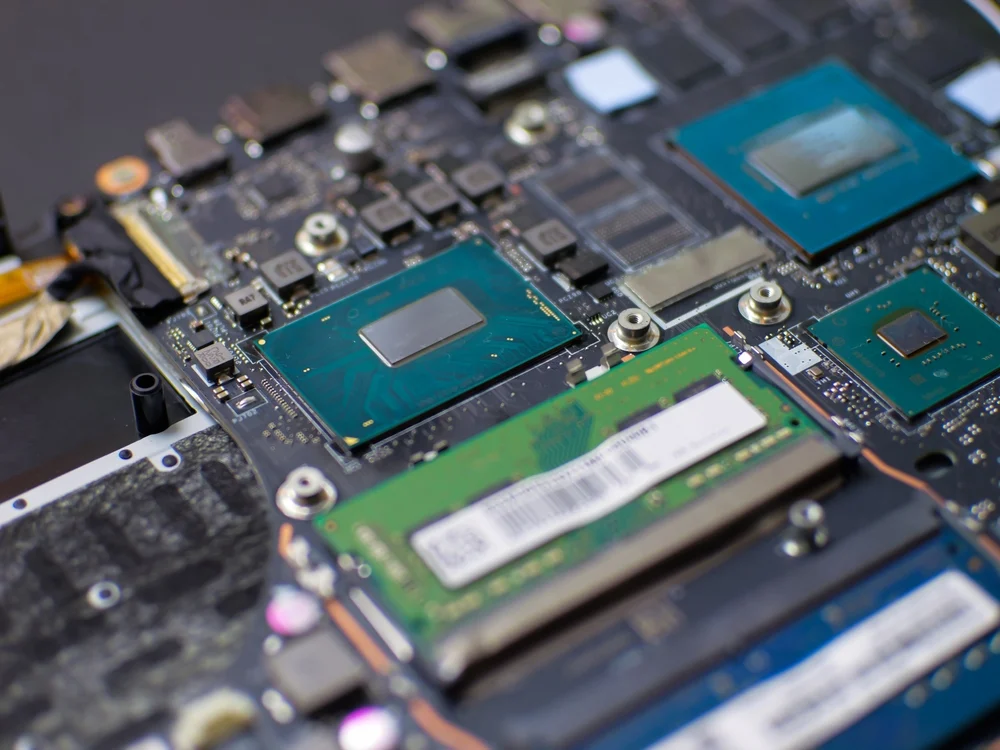
Upgraded RAM and a larger SSD add less to the resale value than they cost you. Here’s how to price a two-year-old laptop from sold releases instead of receipts.
What the laptop is really worth
Your laptop is worth what the base model sells for today, plus a fraction of what the upgrades will cost you. It is not worth the sum of your receipts.
That gap catches most sellers. You remember to pay extra at checkout for 32GB of memory and a larger drive. The resale market remembers a model number and a year.
The good part is that a fair price is something you can look at instead of guessing. It takes about twenty minutes.
Price the model first, the upgrades second
Start with sold listings for your exact base model, because that’s how buyers will search. No one is looking for a storage capacity first. They search for the model name, then filter.
Use finished or sold ads, never active. An asking price is what a seller is hoping for, and many of these listings sit unsold for months. A sold price is what someone actually paid. Look at about the last thirty days, dismiss the outliers on both sides, and take the middle of what is left.
This center point is your baseline. Everything after that is an adjustment up or down.
Check if your RAM upgrade is even an upgrade
On many laptops from the 2024 model year, the memory is soldered to the board or packaged with the processor, and that includes all Apple Silicon MacBooks. If yours is one of them, the extra RAM was a build-to-order option at checkout. You didn’t add it afterwards because no one can.
Socketed memory still exists, mostly in business laptops, gaming laptops, and larger mainstream 15- and 16-inch machines. Some 2024 models use replaceable LPCAMM2 modules instead.
The difference is more important than it sounds. A factory configuration is a separate SKU a buyer can view and confirm. An aftermarket stick is a claim they have to take on trust, and buyer discount claims they can’t verify.
Why upgrades never return what you paid for
Expect to recover a portion of the upgrade costs rather than the entire amount. Three forces work against you:
- Components are cheaper. The memory and storage you paid a premium for two years ago cost less to buy today, and your premium shrinks with them.
- Buyers compare you to other used listingsnot to the manufacturer’s configurator. Your upgrade is invisible next to a similar machine listed slightly lower.
- Storage is easy to add later. Anyone who wants more space can fit themselves a larger drive, the capacity of which your large will be.
Soldered RAM is the exception that holds up the best. The buyer cannot add it later at any price, and scarcity is the only thing that pays reliably.
Whatever premium survives, you collect it only if you can prove it. Screenshot of the system report, keep the original order confirmation, and mention the exact drive model in the listing.
What moves the price more than your upgrades
Condition determines more of your number than any component you add. Before you price anything, check:
- Battery health as a percentage of design capacity. On a two-year-old machine, this is usually the single biggest swing.
- The screen and the lid, where the buyers look first and where the scratches cost the most.
- Regardless of whether you still have the original charger. A missing comes directly from the price.
- Account blocking. Activation lock on a Mac, or a BIOS or administrator password on a Windows laptop, leaves a machine with little value until it’s wiped.
The three prices your laptop has
A fair price depends on how you sell, so there are three honest answers instead of one:
- A private sale pays the most and costs the most effort. You handle the listing, the questions, the no-shows, and the risk of reverse payment.
- An online marketplace reach more buyers, then take a cut. Sales and shipping costs come out of your account, and a laptop that is damaged in transit becomes your problem.
- A direct purchase quote the lower caption figure and take the work from you. No fees, no shipping costs, no arguing with a stranger.
Those are not three opinions about value. They are three different trades, and you really choose how much speed and security to buy. If the fixed-price version suits you, you can get a quote for your laptop and hold it against the selling prices you’ve found.
Frequently asked questions
Does upgrading RAM increase the resale value of a laptop?
Yes, but less than the upgrade will cost you. The price is the greatest when the memory is soldered, because the buyer has no other way to get there. On a laptop with socket memory, the profit is smaller, because everyone can add a stick to the price of the part. A configuration you can document is always worth more than one you can only describe.
Should I remove my upgraded SSD before selling the laptop?
Only if you restore the original drive first. A laptop sold without storage fetches significantly less and attracts far fewer buyers, as most people want something that boots. If the upgraded drive is worth keeping, put the old one back, state the smaller capacity honestly in the listing, and sell or use the larger drive separately.
Is it worth selling laptop parts separately?
Almost never, unless the laptop is already dead. A working machine sells for more whole than the parts you could pull from it, and strip a cost you hours. Handout earns its keep if the screen is cracked or the board has failed, and the surviving components are worth more alone than the broken laptop is.
How much value does a laptop lose in two years?
More in the first year than the second, and the brand is hugely important. Apple laptops and premium business machines hold value better than mainstream consumer models, while a gaming laptop depreciates faster when a new graphics generation lands. Rather than relying on a rule of thumb, check sold listings for your exact model. This figure is specific to your machine and current this week.
Do I need to wipe the drive before selling?
Yes, and log out of your accounts first. On a Mac, sign out of your Apple account and remove the activation lock before uninstalling, or the next owner won’t be able to use it. On Windows, remove all BIOS passwords and deauthorized software tied to the machine. Then perform a full factory reset instead of deleting files, leaving recoverable data.