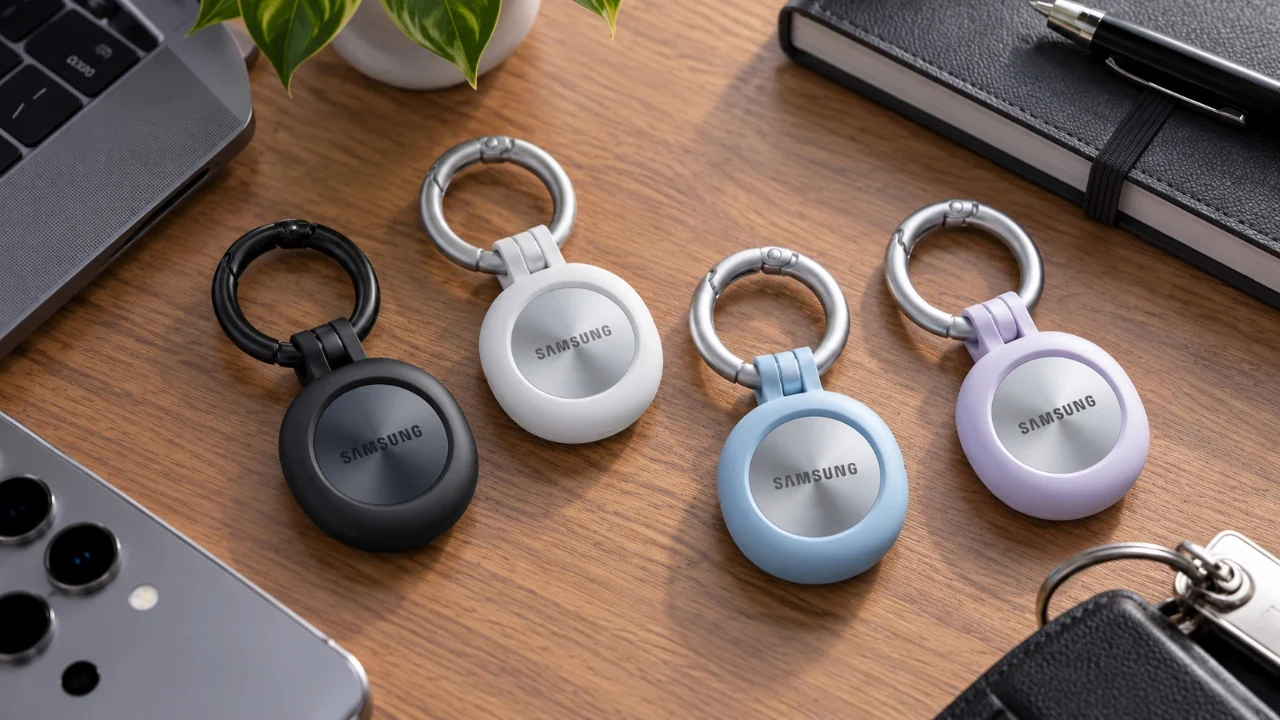
The Samsung Galaxy SmartTag 3 is a versatile and reliable tracking device designed to help you locate your belongings and improve your smart home experience. Whether you attach it to your keys, wallet, or even your pet’s collar, the video below from GregglesTV will provide a complete walkthrough of the setup process, highlight its key features, and explore its practical applications. In the end, you will have a clear understanding of how to fully use this device to simplify your daily life.

Quick start: Setting up your SmartTag 3
Getting started with the Samsung Galaxy SmartTag 3 is a simple process that ensures your device is ready for immediate use. Follow these steps to set it up:
- Make sure you have a Samsung Galaxy smartphone with the latest version of the SmartThings app installed. If necessary, download or update the app from the Google Play Store.
- Activate the SmartTag by pulling the battery tab to turn it on.
- Open the SmartThings app, press the central button on the SmartTag and follow the on-screen instructions to pair it with your phone via Bluetooth.
- Once paired, give your SmartTag a name and link it to a specific location or room in the app for better organization.
The setup process is intuitive and only takes a few minutes. Once completed, your SmartTag is ready to help you track and manage your belongings.
Core features and how they work
The Samsung Galaxy SmartTag 3 offers a number of features designed to improve convenience and provide peace of mind. Here’s a closer look at its core features:
- Accurate location tracking: The SmartThings app allows you to see the location of the SmartTag on a map, making it easy to locate misplaced locations quickly and efficiently.
- Location history: Access a detailed timeline of where your SmartTag has been, allowing you to retrace your steps if necessary.
- Lost Mode: If your SmartTag is out of Bluetooth range, it can still send its location to your phone using nearby Samsung devices. This feature is especially useful for recovering lost items in public places.
- Custom Notifications: Set up alerts for specific scenarios, such as when the SmartTag is left behind or detects unexpected movement, to make sure you stay informed at all times.
These features work seamlessly together and provide a comprehensive solution for tracking and managing your belongings.
Customize your SmartTag 3
One of the standout aspects of the SmartTag 3 is its adaptability. You can customize its functionality to suit your specific needs, making it a valuable addition to your everyday life:
- Button actions: Program the SmartTag button to perform specific tasks, such as finding your phone, starting smart home routines or controlling connected devices such as lights or locks.
- Sound settings: Adjust the ringtone, volume and other sound preferences to locate your SmartTag easier and more efficiently.
- Power saving mode: Extend battery life, up to two years depending on usage, by enabling this feature to ensure long-term reliability.
These customization options allow you to adapt the SmartTag’s functionality to your lifestyle, making sure it integrates seamlessly into your smart home setup.
Real-world applications
The Samsung Galaxy SmartTag 3 is more than just a tracking device, it’s a practical tool that can simplify various aspects of your life. Here are some common ways to use it:
- Item Tracking: Attach the SmartTag to frequently misplaced items such as keys, wallets or remote controls. Use the SmartThings app to locate them instantly, saving time and reducing frustration.
- Pet Tracking: Secure the SmartTag to your pet’s collar for added peace of mind. If your pet wanders, you can quickly track their location and ensure their safety.
- Smart home automation: Integrate the SmartTag with your smart home system to trigger routines. For example, you can set it to turn off devices when you leave home or activate security systems when you return.
These applications highlight the SmartTag’s versatility and its ability to improve everyday tasks and complex smart home operations.
Design and accessories
The Samsung Galaxy SmartTag 3 combines functionality with an elegant design. Available in two stylish colors, gunmetal gray and white silver, it complements your belongings while remaining discreet. To further enhance its usability, you can purchase compatible accessories, such as key ring attachments, for added convenience and portability. These accessories make it easy to secure the SmartTag to various items, making sure it stays with you wherever you go.
Maximizing the potential of your SmartTag 3
With its robust feature set, customizable options and seamless integration with the SmartThings app, the Samsung Galaxy SmartTag 3 is an invaluable tool for staying organized and connected. Whether you’re tracking personal items, protecting your pet or automating your smart home, this device offers a wide range of practical benefits.
By following this guide, you will be equipped to unlock the full potential of your SmartTag 3, making it an indispensable part of your everyday life.
Below are more guides on Samsung Galaxy from our extensive range of articles.
Source: GregglesTV
Filed under: Android News, Gadget News, Guides, Technology News
Disclosure: Some of our articles contain affiliate links. If you purchase something through one of these links, Geeky Gadgets may earn an affiliate commission. Learn about our disclosure policy.