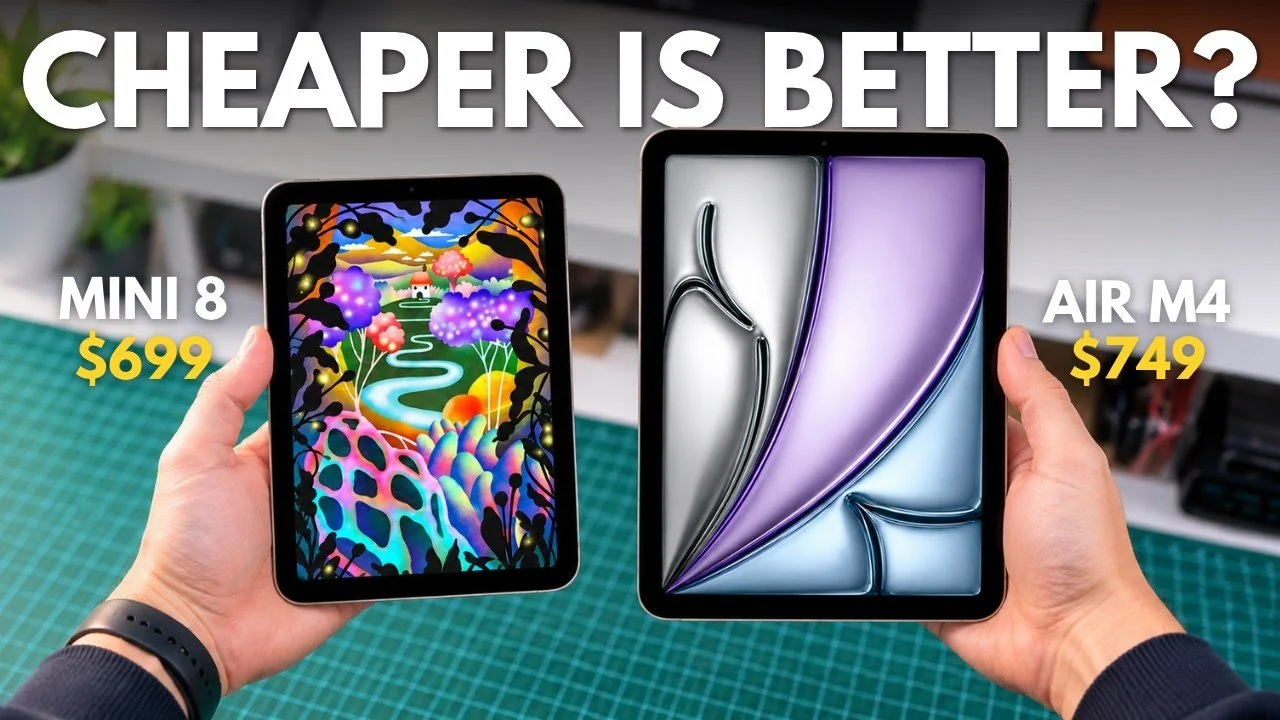
The choice between the iPad Mini 8 and the iPad Air M4 involves weighing portability against productivity. As highlighted by Tech Court, iPad Mini 8 compact design and OLED display Making it a standout option for users who appreciate a lightweight device with vibrant visuals, perfect for activities like reading or watching content on the go. On the other hand, the iPad Air M4, with its large screen and M4 chipcaters to those who need a tablet for multitasking or demanding applications, such as video editing or academic work. Both models come with different storage options, but the Air’s 1TB capacity offers a clear edge for users managing large files.
Discover how these devices compare across key areas such as Battery lifeaccessory compatibility and display performance. Gain insight into which tablet is better suited for casual users versus productivity-focused individuals and understand the trade-offs involved in pricing and portability. This breakdown will help you identify the right fit for your specific needs, whether you’re looking for a travel-friendly companion or a versatile workstation.
iPad Mini 8 vs iPad Air M4
TL;DR key takeaways:
- The iPad Mini 8 is more affordable and portable, with a compact OLED display with superior contrast and HDR support, making it ideal for casual users and on-the-go activities.
- The iPad Air M4 offers a larger LCD screen, better for multitasking and productivity, along with more storage options (up to 1TB) and compatibility with accessories such as the Magic Keyboard.
- Performance-wise, the Mini 8’s A20 Pro chip excels in single-core tasks, while the Air M4’s M4 chip is optimized for multi-core, resource-intensive activities like video editing and multitasking.
- The Mini 8 is lightweight, has IP67 water resistance and supports faster charging, while the Air M4 offers longer battery life and is better for stationary use due to its larger size.
- The iPad Mini 8 is best for casual users who prioritize portability and display quality, while the iPad Air M4 is ideal for students, professionals and productivity-focused users who need a versatile, powerful tablet.
Pricing and storage options
When it comes to pricing, the iPad Mini 8 is slightly more affordable than the iPad Air M4, but the difference in cost reflects the features and storage options available.
- iPad Mini 8: Starts at $699 and is available in 128GB, 256GB and 512GB storage tiers.
- iPad Air M4: Starts at $749 and offers more flexibility with storage options from 128GB to 1TB.
For users who require extensive storage for large files, such as high-resolution videos or professional applications, the iPad Air M4 1TB option could be a decisive factor. However, if your storage needs are moderate, the Mini 8 offers a more cost-effective solution.
Display and screen features
The display is a critical factor in choosing between these two devices, as it directly affects your viewing experience and productivity.
- iPad Mini 8: Features a compact OLED display, offer great contrastHDR support and excellent performance in low-light conditions, makes it ideal for activities such as night reading or watching movies.
- iPad Air M4: Equipped with a larger LCD screen that is more suitable multitasking and split-screen functionality, making it a strong choice for productivity-focused users.
Both devices share a 60Hz refresh rate, which may feel limited to users who are used to higher refresh rates on premium devices. However, the OLED technology the Mini 8 provides a more vibrant and immersive visual experience, while the Air’s larger screen improves usability for professional tasks.

Here are more detailed guides and articles that you may find helpful on iPad Mini 8.
Performance and processing power
Performance is another area where the two devices diverge, with each model optimized for different types of tasks.
- iPad Mini 8: Powered by the A20 Pro chip, it excels Single-core tasks such as web surfing, streaming and light gaming. The 512GB variant includes a slightly improved version of the A20 Pro chip, offering a modest performance boost for users who need a little more power.
- iPad Air M4: Equipped with the M4 chip, it is designed for Multi-core tasksmaking it ideal for resource-intensive activities such as video editing, multitasking and running demanding applications.
If your primary use involves casual activities or light productivity, the Mini 8’s A20 Pro chip is more than enough. However, for professionals or students who need it heavy-duty performanceThe Air’s M4 chip offers a clear advantage.
Portability and build
Portability is a key consideration for many users and the iPad Mini 8 stands out in this category.
- iPad Mini 8: Weighs about half as much as the iPad Air M4, making it highly portable and convenient for commuting or traveling. It also features a IP67 water resistance ratingadds durability for outdoor use or unpredictable environments.
- iPad Air M4: While larger and heavier, its larger screen is advantageous for tasks such as document editing, creative work or multitasking, making it better suited for stationary use or desk setups.
For users who are often on the go, the Mini’s lightweight design is in build robustly make it an excellent choice. On the other hand, if you prioritize screen real estate for productivity, the Air’s larger size is worth the portability.
Battery life and charging stations
Battery performance and charging capabilities vary slightly between the two models, catering to different usage patterns.
- iPad Air M4: Equipped with a larger battery, it offers extended use on a single charge, making it ideal for long work sessions or trips without frequent charging.
- iPad Mini 8: While its battery is smaller, it supports it faster charging when paired with a separately purchased 35W charger, allows you to quickly top up the battery when needed.
If you value more battery life for uninterrupted use, the Air is the better option. However, for users who prioritize fast charging and shorter bursts of use, the Mini’s fast charging capability is a notable advantage.
Accessories and productivity
Accessories play a significant role in enhancing the functionality of these devices, especially for productivity-focused users.
- iPad Air M4: Compatible with the Magic Keyboard, it makes a strong choice for typing-intensive tasks, professional work or academic use. It also supports the second generation Apple Pencil, ideal for creative professionals.
- iPad Mini 8: While it supports the Apple Pencil, it doesn’t offer compatibility with keyboard accessories, limiting its utility for extensive typing or document editing.
For students, professionals, or anyone who relies on Keyboard input or creative tools, the Air accessory support makes it a more versatile option. However, the Mini remains a great choice for casual users who don’t require extensive productivity tools.
Who should buy each device?
Each device is tailored to meet the needs of specific user groups.
- iPad Mini 8: Best suited for casual users who prioritize portability, a great OLED display and lightweight design. It is ideal for activities such as reading, gaming, watching videos or travelling. Its water resistance also makes it a practical choice for outdoor enthusiasts or those looking for a durable secondary device.
- iPad Air M4: Designed for students, professionals and productivity-focused users who need a primary device for multitasking, creative work or typing. Its larger screen, accessory compatibility and powerful M4 chip make it a strong contender for those looking for a versatile and capable tablet.
Future considerations
Looking ahead, Apple is expected to release an OLED version of the iPad Air in 2027. This upgrade could improve the Air’s display quality and bring it closer to the Mini 8’s OLED performance. However, it is unlikely for the 60Hz refresh rate limitationwhich remains a disadvantage for both models. In addition, the iPad Air M4 is often discounted during sales events like Black Friday, offering opportunities for budget-conscious buyers to save.
By carefully evaluating your priorities, whether it’s portability, performance or productivity, you can confidently choose the device that best matches your lifestyle and usage patterns.
Media Credit: Tech Court
Filed under: Apple iPad, Guides
Disclosure: Some of our articles contain affiliate links. If you purchase something through one of these links, Geeky Gadgets may earn an affiliate commission. Learn about our disclosure policy.