It is actually too natural for some.
When ChatGPT first launched in 2022, the only way to interact with it was through your keyboard. But it didn’t take long for another breakthrough: real-time voice chat. ChatGPT’s Voice Mode was the first feature of this kind, but we soon got competition from Google in the form of Gemini Live as well. Unlike older voice assistants such as the Google Assistant, these chatbots can hold natural conversations on any topic and even search the Internet for current information.
Still, Google and OpenAI have taken remarkably different approaches to voice chat with their respective chatbots. One has a slight advantage in how natural it sounds, while the other modulates its responses based on information from your digital life. I’ve used both ChatGPT Voice and Gemini Live over the past few years; here’s which one I reach for more often and why.
ChatGPT Voice vs Gemini Live: Which is better?
On paper, ChatGPT Voice and Gemini Live share many similarities – both respond in real time and offer multiple voices to choose from. The primary difference lies in the underlying AI models they use: ChatGPT uses the GPT family while Chatbot uses Google Gemini. Theory aside, however, the real-world experience of using the two chatbots is quite different.
ChatGPT Voice tends to be much more expressive in its word choice and uses natural conversational markers in an attempt to sound more human. For example, it often pretends to think with a “mhmm” and even adds mid-sentence stutters.
Gemini Live’s response often sounds flatter in its delivery, simply because of the differences in pitch and inflection. Some people don’t like the exaggerated intonations of ChatGPT, so you might prefer Google’s approach.
Another difference I noticed was that ChatGPT Voice is more likely to search for information on the web before responding. When I asked both chatbots about the recent Gemini 3.8 live release, Gemini defaulted to its existing knowledge and proclaimed that it didn’t exist. ChatGPT Voice paused for a few seconds while accessing the internet, but eventually gave me the correct answer. In my experience, you often have to explicitly ask Gemini Live to research before responding if you value factual accuracy.
Other than these differences, however, both Gemini Live and ChatGPT Voice can answer questions, look up information and even switch between different languages. That said, don’t expect the same quality of responses as you would get from the chatbot’s text mode. Since voice-based conversations require quick responses, both chatbots use slightly less capable models that prioritize speed over accuracy.
Are ChatGPT Voice and Gemini Live both free to use?
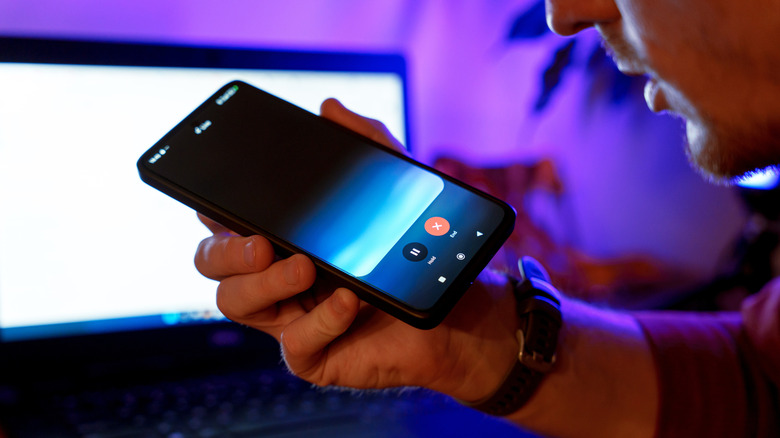
If you haven’t paid for ChatGPT or Gemini, you’ll quickly find that both chatbots only offer a few minutes of conversation before cutting access. This is because voice processing is significantly more computationally demanding than text alone. Both OpenAI and Google offer paid plans that greatly increase this limit and also give access to more capable AI models. On ChatGPT, for example, I noticed that the GPT-Live-1 mini model on the free tier lacked the reasoning capabilities of the larger GPT-Live-1 model.
ChatGPT Go, the most affordable paid plan, will set you back $8 per month, while Google’s AI Plus subscription costs $5 per month. The next step for both chatbots is $20 per month. I prefer Google’s subscription options, as even the lowest tier bundles 400GB of cloud storage. The latter can also be shared with up to five family members.
As an aside, both chatbots support camera input in addition to voice, allowing you to point your phone at your surroundings for added context. I often use this feature to show the AI what I’m working on instead of describing the task in words alone. I used Gemini Live while tuning my bike for example, and the AI was able to walk me through the process. It even superimposed helpful markers on the live video feed so I could quickly identify which screws I needed to tighten.
Unfortunately, ChatGPT Camera access during voice chat is locked behind the chatbot’s $20 monthly subscription tier. Google’s equivalent feature is free, at least up to a certain limit. The entry-level ChatGPT Go subscription also surprisingly lacks camera access during voice chat — you’ll need the $20 tier for that feature.
Gemini Live surpasses ChatGPT Voice in several areas
Google’s breadth of hardware and software services means it has a natural advantage over OpenAI. Case in point: you can use Gemini Live on a dedicated smart speaker via a Google Home speaker. In fact, the company even brought the feature to older Nest Audio and Hub devices. My Google Home Mini also supports the feature, which is impressive for a device launched in 2017. The only caveat is that you need an active Google Home Premium subscription ($10 per month) to use Gemini Live on smart home devices.
The Pixel Buds line also features deep Gemini Live integration, allowing you to start a conversation with just your voice. OpenAI is working on its own smart home hardware, but we haven’t heard about pricing or availability yet. Either way, Google has already sold millions of smart speakers and displays, so the cost of entry into the Gemini Live ecosystem is much lower.
Gemini Live may also reference information from your personal Google account for more personalized responses. This feature, called Personal Intelligence, can look up emails, YouTube videos and documents on your drive.
When I asked Gemini Live if I received bills this month, for example, it listed everything it found in my Gmail inbox after a few seconds of processing. Google’s chatbot can also add a calendar event mid-conversation and control smart home devices. ChatGPT cannot look into your digital life at this time, nor can it access Google services such as Maps and YouTube.
However, when I don’t need any of these features, I often find myself reaching for ChatGPT Voice instead of Gemini Live simply because the former sounds more natural to my ears. Since both are available for free, I would recommend testing them before paying for higher usage limits.