ZDNET’s key takeaways
- ChatGPT Plus and Google AI Pro are $20/month and solid for everyday use.
- Google AI Pro bundles 5TB, YouTube Premium Lite, and AI video and music.
- Pick ChatGPT Plus for Codex, ChatGPT Work, or if you have history with it.
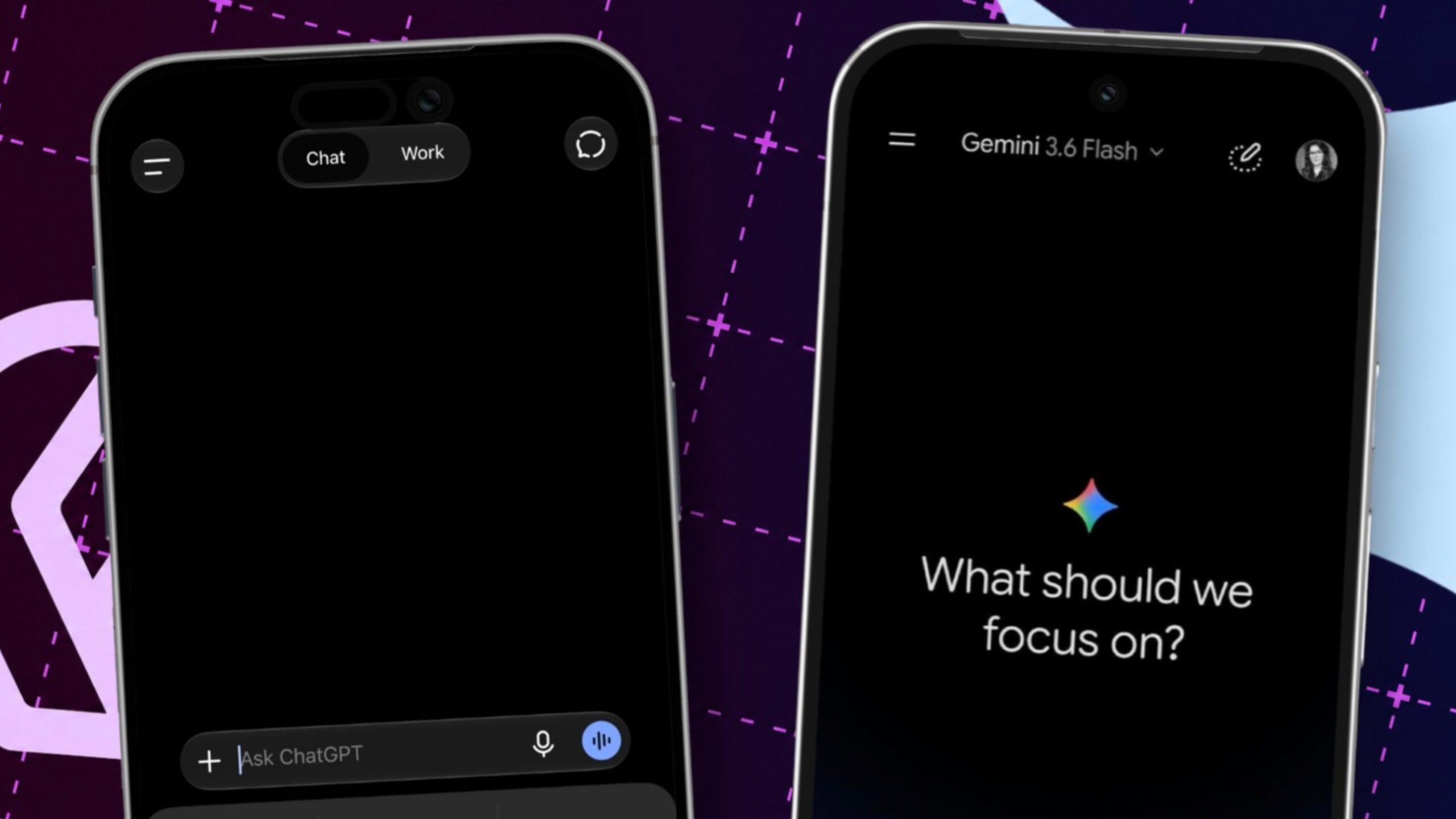
ChatGPT Plus and Google AI Pro each cost $20 a month. I write about AI for a living, so I use both. Most people only need one. So, which do you choose? Honestly, I’d pick Google AI Pro if you’re just getting started or already use Google’s ecosystem. It bundles Gemini with 5TB of Google Drive storage and YouTube Premium Lite. I’d stick with ChatGPT Plus if you already have a history with ChatGPT or want Codex for coding and Work for agentic tasks.
Also: I let ChatGPT run my 7 Sonos speakers
Last year, I evaluated both choices based on which chatbot produced better responses. While both can sometimes make boneheaded recommendations, chatbot AI performance has reached the point where both are generally good enough. I no longer recommend deciding based on which AI is smarter, since both can do the job. Instead, I recommend you look at the extra stuff that comes with each subscription.
ChatGPT and Gemini have changed a lot in 2026
In April, ZDNET’s Elyse Betters Picaro compared the output quality of the various components that come with the two plans. In AI time, six months is many, many dog years. Let’s take a minute to look at what’s changed since April.
Also: OpenAI will merge ChatGPT’s chat and work tabs – here’s when
In April, Google introduced a native Gemini app for the Mac, and OpenAI discontinued the Sora AI video tool.
In May, the Fitbit app became Google Health, Google’s Health Premium service was bundled with its AI Pro tier, Gemini’s agentic Spark tool was introduced to Ultra plan users, and OpenAI removed its Canvas feature from ChatGPT.
In June, Google discontinued Gemini Code Assist and Gemini CLI services, and OpenAI retired GPT-4.5.
July was a busy month. OpenAI launched ChatGPT Work, GPT-5.6, and a unified desktop app. Google renamed NotebookLM to Gemini Notebook, Gemini Spark was made available to Pro tier users, and health features (including a link to Apple Health) were added to ChatGPT.
In August, OpenAI retired its o3 model and blocked the creation of new GPTs (its little custom mini-apps). This decision was a bit of a bummer for me because I rely on several custom GPTs. Instead, ChatGPT now supports skills. I’ll eventually rework my GPTs into plugins or skills (or ask ChatGPT to do it for me). Gems (the Gemini equivalent of GPTs) will retire in November.
Also: Is ChatGPT your new Google Workspace alternative?
In September, we got GPT-6 Astra, Sol, and Luna. Then OpenAI updated GPT-6 Sol to GPT-6.1, and Google introduced its native Gemini app for Windows. OpenAI also introduced Dots, its virtual agentic computer for users on the Pro tier and above, excluding the $20-a-month tier.
As you can see, a lot has changed since April. Casualties include Sora, Canvas, GPT-4.5 and o3, Gemini Code Assist, custom GPTs, and Gems. New additions include ChatGPT Work (which then became just ChatGPT), Health in ChatGPT, Gemini Spark, and desktop app revisions.
As I delve into the two offerings, keep in mind that the only constant is change. Without a doubt, the offerings will be different again in six months.
What do ChatGPT Plus and Google AI Pro include now?
Let’s put this out there right now. You get a lot more stuff with the Google AI Pro plan than you do with ChatGPT Plus.
ChatGPT Plus is all AI, all the time. You get 20GB of storage for uploaded files, a connection to Apple Health, the ability to run some agentic coding and productivity tasks, and OpenAI’s language models.
Also: How I used ChatGPT to talk me through fixing a corrupted gaming PC
Both products include image generation, and both image generation models are excellent.
Both products also have a highly interactive voice mode, although ChatGPT’s Advanced Voice mode can be a bit more expressive. This feature is helpful when you need a hands-free mode. I used it recently when I adjusted a robotic gimbal for shooting video. I just asked ChatGPT to walk me through some setup steps.
Google adds Google Flow (a text-to-video generator) and Google Vids (which helps you turn footage into a video). Google Flow also has a music generator that lets you generate your own songs.
Google offers Gemini Notebook, previously NotebookLM. While its main feature is working solely from source materials you define (a capability you can pretty much emulate in ChatGPT projects), it also creates exceptional audio podcasts and presentations from that source material, which is a feature unique to Google.
Also: How to keep your conversations with ChatGPT and Gemini private
Another benefit of Gemini is that it’s integrated “out-of-the-box” as a sidebar in Chrome. Yes, you can add ChatGPT to the sidebar as an extension, but Gemini is built in.
On top of all that, Google AI Pro includes Gemini and the usual AI goodies. It also includes the following.
- 5TB of Google Drive storage that you can use with the Google apps, Gmail, and Photos.
- YouTube Premium Lite, which gives you ad-free YouTube viewing and is normally priced separately at $8.99 a month.
- Google Health Premium, which provides Gemini-assisted health coaching and analytics if you have a Pixel Watch or Fitbit and is normally priced at $9.99 a month.
- Google Home Premium, a home security system for Gemini smart home hardware, normally priced at $10 a month.
If you’re fully integrated into the Google ecosystem, the AI Pro plan looks like a heck of a deal.
ChatGPT Plus and Google AI Pro usage limits
One challenge of comparing AI services is that they’re vague about what they offer. For example, free users tend to hit usage walls. We also know that one of the primary reasons to spend $20 on a monthly subscription is to get more AI usage.
But how much more?
OpenAI doesn’t say. The company’s pricing page says “Advanced intelligence for complex work,” “Higher quality” image creation, “Expanded memory,” and “Larger projects.” But how much more advanced? How much higher quality? How much expanded? How much larger? The company doesn’t say.
Also: This ChatGPT scam tricks you into installing malware – how to spot the trap
You do get quite a lot of AI juice. I haven’t found myself limited in what the AI can do from a chat perspective. When I’ve used ChatGPT Plus for agentic tasks, I’ve been cut off fairly regularly when I’ve exceeded my five-hour allocation. I’ve had to wait until the cutoff resets at the beginning of the next five-hour period.
Both plans drop down to lower-level AI models when you run out of usage capacity and provide less capable models in the free plans. So while total usage isn’t described, you do get considerably more access to workhorse-level AI models for your $20.
Is ChatGPT Plus or Google AI Pro better for coding?
I used Codex in my ChatGPT Plus plan to code up a solution to stop a massive spam registration attack against my server. Most AIs have usage caps that reset every five hours. As I said earlier, I have hit my cap several times. But even so, over a weekend, for my $20-a-month fee, I did a massive mitigation.
Also: How to get Google’s Al Professional Certificate for free – and why
I have also run a variety of agentic projects using just my ChatGPT Plus plan and have had some fairly measurable success.
I don’t have nearly as much coding or agentic work experience on the Gemini side, something I’d like to remedy in the coming months.
Gemini is also vague about how much AI juice it provides. Google says, “Create faster and get more done with 4x access* to Gemini.” The asterisk says “In comparison to non-AI subscribers” but doesn’t say what that means.
How do ChatGPT Work and Gemini Spark compare?
Both tools offer a form of deep research, where the AI goes off for a while to explore a topic and create a report. I am fairly sure this capability will be eliminated fairly soon. Deep research is basically an agentic work assignment oriented around research. Now that both tools offer agents, I expect the official deep research offerings to be deprecated since users can give agents deep research assignments.
Also: I tested Gemini Spark – another Google AI fail?
Both AI services offer agentic automations and connectors to other services. As you might imagine, Google has native integration with Gmail and the Google apps, which may prove to be an infrastructure advantage in the long term.
Both ChatGPT and Gemini Spark can perform multistep workflows. Both can be assigned web browsing tasks and work with Chrome. Of course, Google owns Chrome, so integration is likely to be tighter.
Both allow scheduled tasks. You can also trigger tasks through Gmail. Google offers Gemini Flows, which can automate your Gmail inbox. Unfortunately, in my testing, I found the capacity limited even after I upgraded to a more expensive tier.
Also: How to use ChatGPT Work – and my top 10 tips for getting started
I have found that ChatGPT’s Work processing on the $20-a-month tier has definite usage limits. As I’ve mentioned, I’ve been cut off several times and had to come back later. I haven’t given Spark enough of a run. Spark’s rollout began in July, but I didn’t get access to it until last month.
Today, I’d say ChatGPT’s agentic capabilities are more mature than Google’s, but that’s unlikely to be permanent. I expect to see parity within the next six months or so.
Should you pay for ChatGPT Plus or Google AI Pro?
Let’s be clear. For how much you get, Google wins hands down. You get more storage, ad-free YouTube, video and song generation, more Gemini Notebook capacity, and home security coverage if you have Google hardware.
If you are a heavy Google user and own some of its hardware, the AI Pro plan is a good deal. As I said at the beginning of this article, Gemini’s chatbot functionality is now pretty much on par with ChatGPT’s. That was not the case a few years ago, but Google has improved Gemini tremendously.
If you’re an Apple user, you may find that ChatGPT’s integration with the Health app is a win. Microsoft Office users may feel more comfortable with ChatGPT’s native plugins for Word, Excel, and PowerPoint. However, third-party plugins also bring Gemini into the Office apps.
Also: Use Gemini for free? You’ll soon be limited to its weakest AI model
So when would you choose ChatGPT? If you’re starting with a paid AI plan, you probably won’t. But if you’ve been using ChatGPT, you have all your history in the service. Also, Codex and the agentic Work integration in ChatGPT are excellent and add great value for your $20 a month.
Here’s my recommendation. If you’re just getting started and you want an AI with some added freebies, get Gemini. If you want to do more serious agentic work or coding, or if you already have a history with ChatGPT, you can’t go wrong continuing with it.
One other thing to consider. I’ve found value in using multiple AIs to cross-check and compare results. If you can afford the cost, consider signing up for both Gemini and ChatGPT. As much as I’d prefer not to spend cash on multiple AI services, I can point to times when having different AIs has provided tangible value. I even take output from one and feed it into another for validation, with really helpful results.
One final thought. When I started this article, I didn’t expect to suggest that Gemini is the better-value entry point for a paid AI tier. A couple of years ago, Gemini was just terrible. But it’s come a long way, and it’s now my recommendation.
This decision also goes to Google’s position in the market. Google has a lot more to offer across its product line. Because of its strong ecosystem, Google can add a bunch of goodies that OpenAI can’t.
Also: How to get free Google AI Pro for an entire year – and save $240
My advice to OpenAI is to avoid competing on Google’s turf. Sure, you can add some storage or buy a cloud storage service. And sure, you can create your own cloud-based office offering. But Google owns those.
Instead, focus on the new services AI offers, keep improving your agentic products, and make your AI experience tangibly better, easier to use, and easier to understand than Google’s.
In other words, don’t try to out-Google Google. Instead, lean into your strengths. Letting ChatGPT be all ChatGPT can be is where you can boldly go to carve out your own ecosystem advantage.
You can follow my day-to-day project updates on social media. Be sure to subscribe to my weekly update newsletter and follow me on Twitter/X at @DavidGewirtz, on Facebook at Facebook.com/DavidGewirtz, on Instagram at Instagram.com/DavidGewirtz, on Bluesky at @DavidGewirtz.com, and on YouTube at YouTube.com/DavidGewirtzTV.