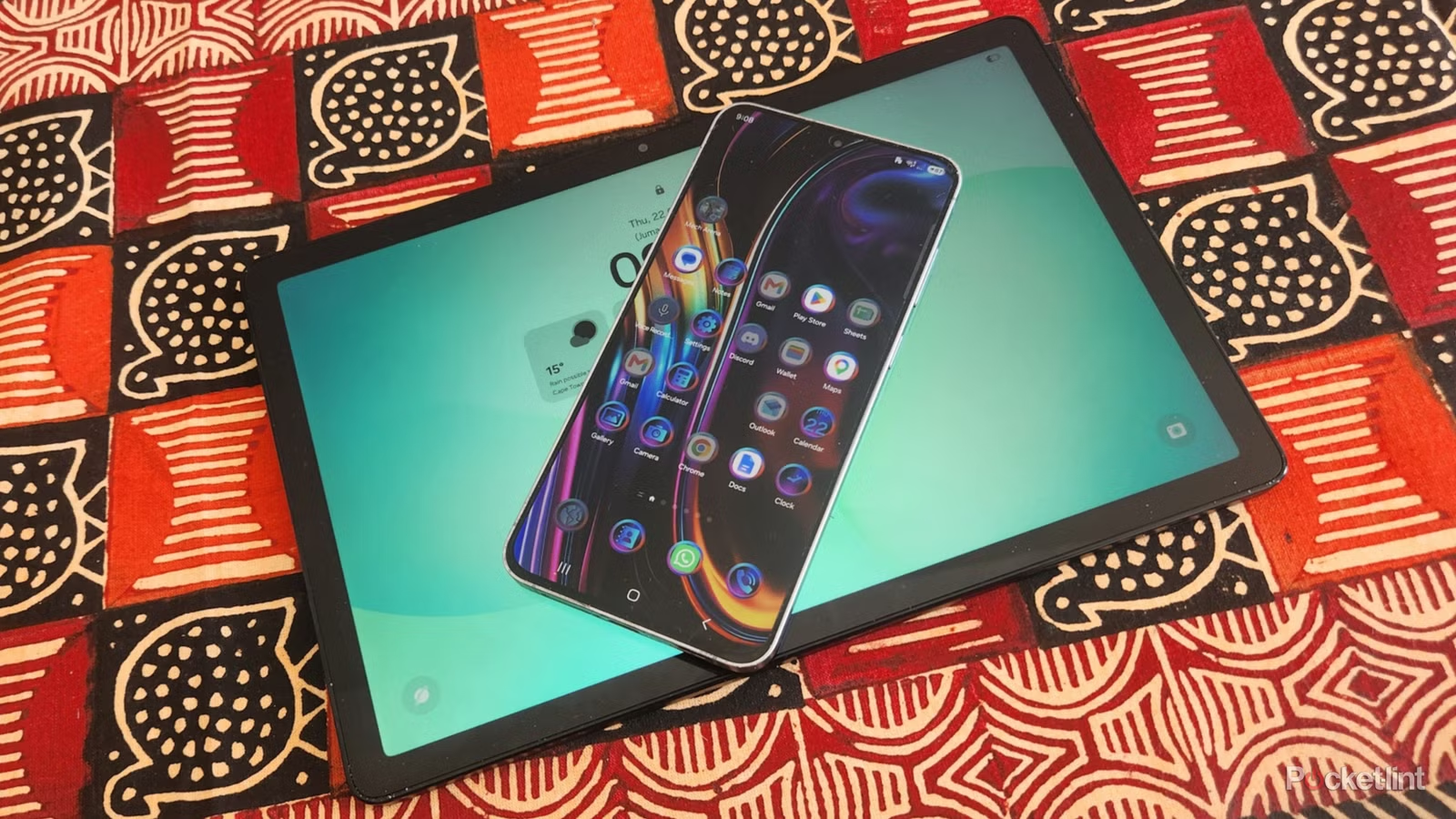
The most powerful smartphones can easily compete with tablets for multitasking and running demanding apps, and usually have better cameras as well. New foldable models further blur the lines with large screens appearing in tablet territory.
So what’s the point of getting a tablet if you already have a smartphone? The numbers don’t lie and tablets represent only a small part of the computing market compared to smartphones and laptops. It’s easy to see why when everyone wants the latest phones and needs laptops for serious work. Tablets are more niche devices that aren’t on most casual users’ radar.
That said, variety is the spice of life and tablets should not be written off as they excel in certain areas. Here are four reasons why tablets are still relevant and valuable, even if you have the best smartphone.
Large screen convenience
Size is important
A tablet’s larger screen size is its biggest and most obvious advantage over a smartphone. The importance cannot be overestimated, and the extra real estate makes a massive difference to entertainment, making it the great choice if you enjoy streaming movies, shows and YouTube channels. Games look clearer and more detailed thanks to the increased scale. Touch controls are also more convenient and user-friendly because they are not as tight as on a smartphone.
Working on business and productivity apps is faster and more intuitive on a tablet. The screen fits more rows and columns, and you can comfortably view entire tables or document pages without having to zoom.
Simple tasks, such as web surfing, are better on a larger screen.
Even simple tasks, such as web surfing, are better on a larger screen. You scroll less to see more, and the larger text is more comfortable and easier to read. Split screen and pop-up view modes often feel constrained on smartphones that just don’t have enough space to run them on a smaller display. On tablets, they become handy multitasking tools that run multiple apps at once, so you can do more work faster. I have a Samsung Galaxy Tab and while I agree with the above points, I still use my phone for most tasks because I have it with me and prefer my laptop for documents and spreadsheets.
Versatility
Easy laptop conversion

Tablets are perfect for various tasks because they fit into the Goldilocks zone between smartphones and laptops. Their thin and light design is convenient for on-the-go users who want a large display that they can use while sitting or standing in transit. Tablets are also a great choice for on-site workers who need to enter measurements, specifications and other data but don’t have a desk to use a laptop.
The ability to convert a tablet into a laptop is another great advantage as you get the best of both worlds. You can use your tablet with a keyboard to make typing emails or documents easier. You also get to hold the touchscreen to scroll and use the webcams for meetings. The conversion usually takes just a few seconds, and you only need a few things to turn your iPad into a powerhouse workstation.
The ability to convert a tablet into a laptop is another great advantage as you get the best of both worlds.
When you’re done, you can easily store the tablet and keyboard in a suitcase or satchel, and they take up less space than most laptops. The versatility extends battery life and charging. Even cheap Android tablets usually have a longer battery life than laptops, due to their efficient mobile-centric processors. They’re also easier to charge, requiring a standard USB-C cable rather than a bulky charging pad.
Drawing and notes
Graphics apps and stylus support

Tablets are hands-down the best option for drawing and note-taking. No other platform is so suitable for styluses and tablet displays to become a canvas for artists and creatives to express themselves and showcase their talent. You don’t need a special drawing tablet and can even use a normal model with a free app, like Krita.
No other platform is so receptive to styluses and tablet displays becoming a canvas for artists and creatives to express themselves.
Students can use their tablets to take notes during lectures, while professionals can record meetings or draft drawings. Notes on a tablet beat conventional paper because handwriting-to-text software converts them into digital documents that are easily saved or shared, and they can’t be lost.
The process is more efficient and streamlined because you don’t need paper notebooks and different pen colors and can do everything on a single device.
It is also a portable monitor
Dual-use capability

Most Android tablets can double as portable monitors. This secondary function can be useful to increase your productivity when paired with your desktop or laptop, as you can open full-page apps on any display. It puts your tablet to good use, and you can save yourself from splashing cash on another device you don’t need.
Tablets have the added benefit of a built-in battery and touch functionality, which make them better options in some scenarios. They can run independently on their own power and won’t drain your laptop’s battery when you’re working on the go and don’t have access to a power socket. The touchscreen adds another dimension to functionality for easy swiping and scrolling through documents or web pages.
Setting up your tablet as a portable monitor is quite easy with wired or wireless methods available.
Setting up your tablet as a portable monitor is quite easy with wired or wireless methods available. All you need to do is download and run the AirDroid app on your laptop and Android tablet. Then enter the numeric code or a QR code to establish a connection via your Wi-Fi network, and you’re good to go. You can also try a wireless connection if you don’t have Wi-Fi, but your tablet needs a DisplayPort-compatible USB-C port to work.
Do you need a tablet if you already have a smartphone?
It depends on your requirements
Worldwide tablet sales prove that you probably don’t need a tablet if you already have a smartphone. For me, a tablet is just a toy and I prefer to use my phone or laptop for most tasks. However, your requirements may be different, and a tablet may be the right choice for you if you need the above features.