ZDNET’s key takeaways
- GridCraft is almost the MS Excel clone it purports to be.
- GridCraft is both free and open-source.
- The only thing missing is a strong template feature.
ArtCraft, the development team behind PhotoCraft (and a number of other similar apps) has overturned yet another de facto standard app: GridCraft, intended to mimic Microsoft Excel.
ArtCraft’s collection is an important step forward for open source and the Linux operating system as some of the apps they built have long been considered roadblocks to Linux’s user adoption. With apps like WordCraft, DeckCraft, and PDFCraft now available, those roadblocks are going away. Time will tell, but these apps seem like a big step forward for Linux and open-source to me.
Also: I tried the free Adobe Premiere clone on Linux – and DaVinci Resolve has competition
What does GridCraft do?
You might think that this is simply a rebranded MS Excel running on top of an interpretation or abstraction layer, but that is not the case. Like the other ArtCraft apps, GridCraft runs natively on whatever OS you’re using (Linux, FreeBSD, MacOS or Windows). And because these apps were written in Rust, they’re blazing fast.
I’ve opened very large spreadsheets in GridCraft (one with 1,000 rows), and the app never so much as hiccupped.
GridCraft works on more platforms than Excel and is free, which are obvious advantages, such as the fact that it is released under an open license, so anyone can download, edit, rebuild and redistribute the code.
Also: How to use ChatGPT to write Excel formulas
With GridCraft, you get a standard spreadsheet workflow, native XLSX compatibility, more than 500 calculation functions, charts & pivot tables, agent-native automation, and copy-on-write workbooks with instant undo snapshots, incremental recalculation, and a virtualized grid.
I’ve tested GridCraft on Linux, MacOS and Windows, and it works exactly the same and just as fast on each platform. So if you are used to MS Excel’s draggy performance, you will be pleasantly surprised with how fast GridCraft does everything. Click on the launcher, and it will open immediately.
Once opened, you can start creating your own spreadsheet from scratch. Although there are three samples (Housebudget, Quarterly Sales Dashboard, and Gradebook), the templates are lacking. You can always create your own templates or download some from the official MS template download site.
Remember that if there is one aspect of GridCraft that differs from Excel, it is templates. I have yet to find a way to save a spreadsheet as a .xltx (template) file. Hopefully, the developers will add a more robust template feature in the future. In the meantime, you can always save a spreadsheet as a CSV file in a template folder that you create. It’s a hack, but it works.
How well does GridCraft perform?
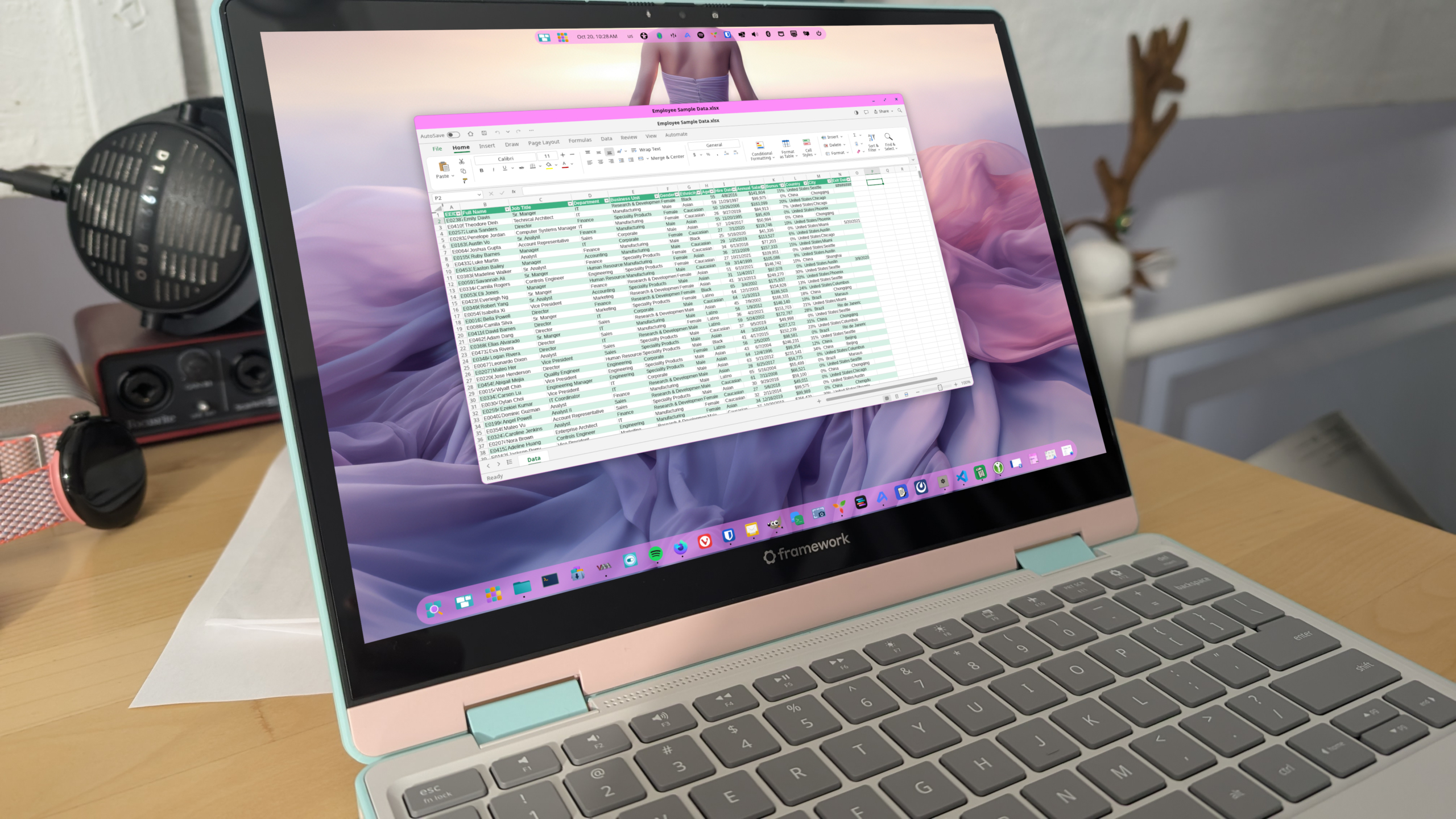
As I said, GridCraft is not exactly a 1:1 drop-in replacement for Excel. Still, it’s pretty close and works as you’d expect. It offers the same features, the same UI (minus the MS branding), and does the same calculations. I opened an excel spreadsheet with a pivot table, and everything was in place and working properly.
 Jack Wallen/ZDNET
Although I tested the app on several spreadsheets without a single issue, your spreadsheet could be the one having issues. Therefore, I would suggest always making a copy of your work and using the copy on GridCraft. No matter how well GridCraft works, don’t go into the app thinking it’s production-ready.
Also: How I made this great looking table in Excel
Because spreadsheets can sometimes be the heart of your business or project, you always want to make sure you have a copy of your data. I would say that for any application you use.
Will I use it for spreadsheets? You bet I will. In fact, I started adopting all ArtCraft apps to replace other similar apps I use. The only exception to this is FilmCraft, but only because I’ve invested so much time and money into DaVinci Resolve, and FilmCraft doesn’t quite have the color tools and node trees I’m used to.

See full bio