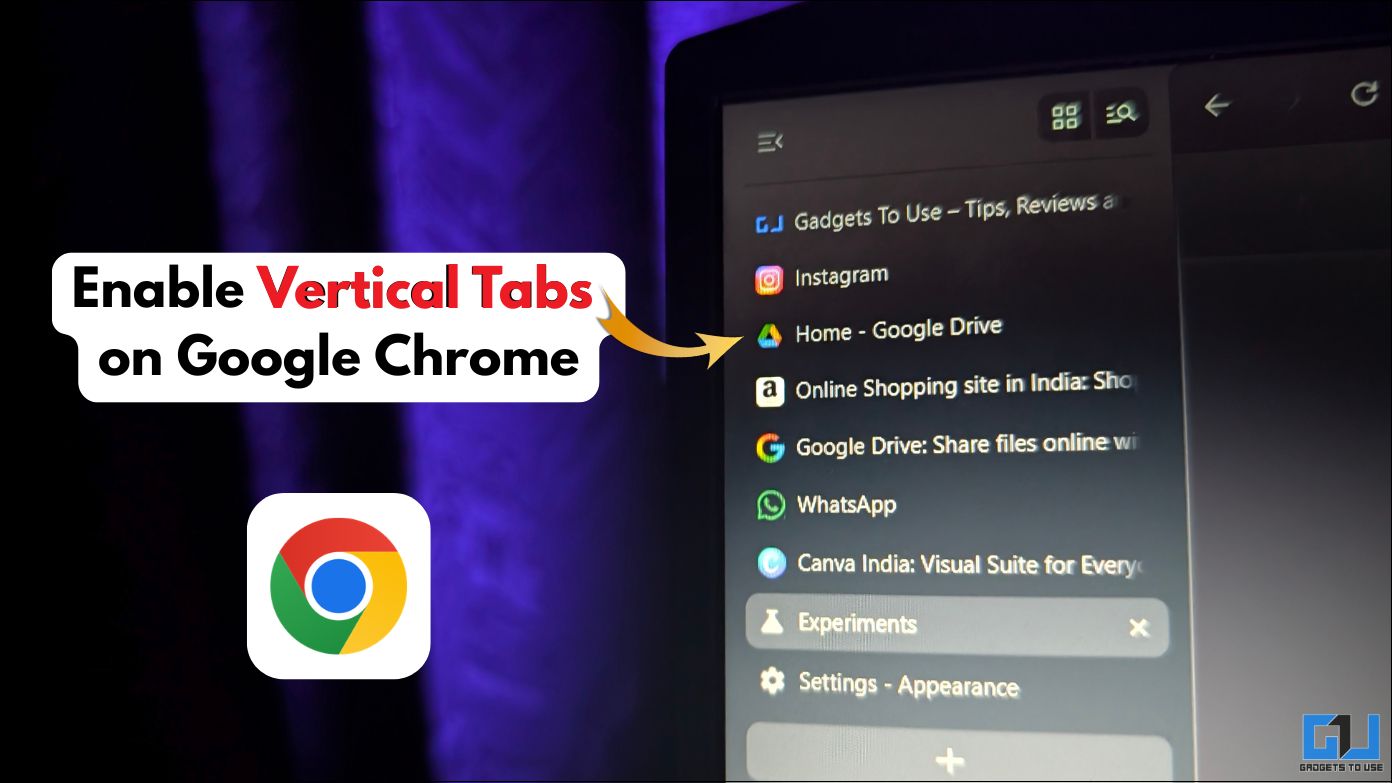
- Chrome Flags is a set of experimental features that you can use to customize your Google Chrome experience.
- Yes, you can either switch the tab strip position back to ‘Top’ or disable the feature completely through Chrome.
- Vertical tabs make your Google Chrome experience better, especially if you are someone who has many tabs open at the same time.
Managing multiple tabs in Google Chrome can be a problem. Especially when there are so many tabs open that you can only see the icons of the websites. The standard horizontal layout of the tabs is good for casual browsing. But it can feel cluttered, especially when you have to switch tabs back and forth. You can manage your tabs better by using a vertical layout for the tabs.
Chrome Flags: Hidden Features on Google Chrome
Chrome Flags is a set of experimental features that you can use to customize your Google Chrome experience. They are not available by default in the stable version of Google Chrome. These are features that you can test for yourself before they are officially introduced in the stable version. One of these features is the Vertical Tabs feature, which you can enable to better manage your tabs.
Enable vertical tabs on Google Chrome with Chrome flags
1. Open a new tab in the Chrome browser. Copy “chrome://flags” and paste it in the search bar. Hit Enter.
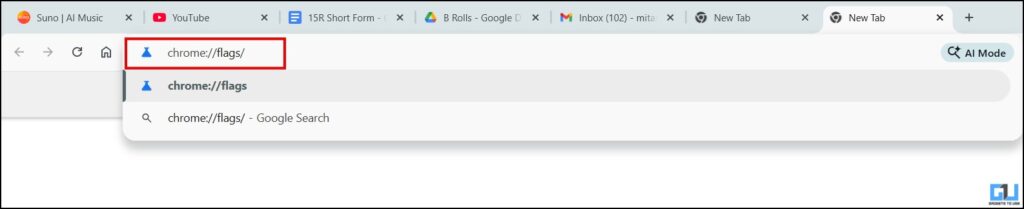
2. Here you will find tons of experimental features in Chrome. In the search bar search for ‘vertical tabs’.

3. Once you’ve located it, click on the drop-down menu. Here, select ‘Enabled’.
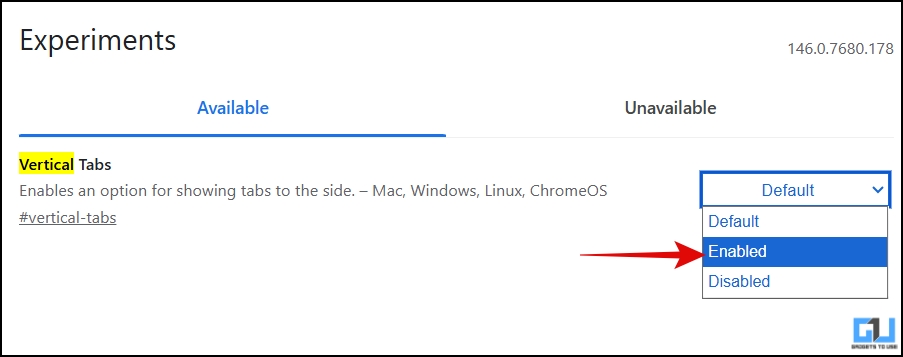
4. Now you would be prompted to restart the browser as the changes will take effect the next time you open the browser. Click on ‘Relaunch’.

5. After launching the browser, go to the browser settings or simply copy and paste “chrome://settings” in the search bar.

6. Click on the “Appearance” tab.
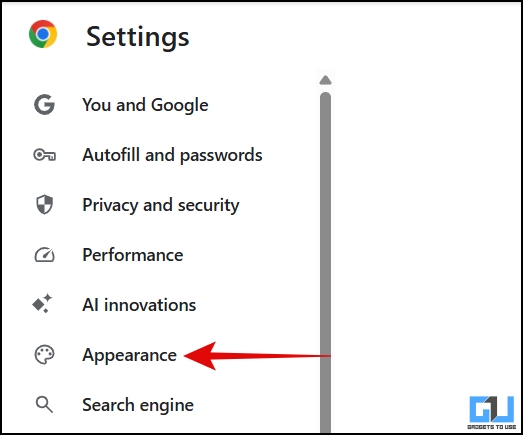
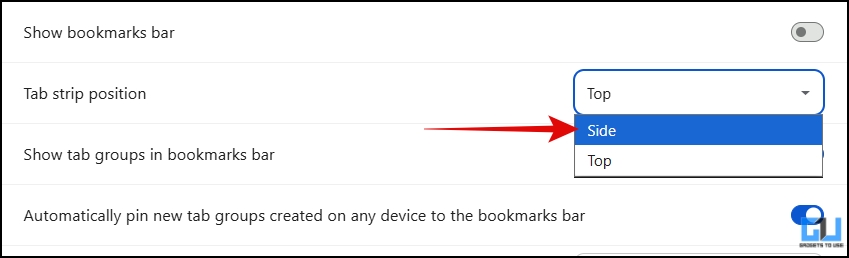
7. In the ‘Tab Strip Position’ drop-down menu select ‘Page’.
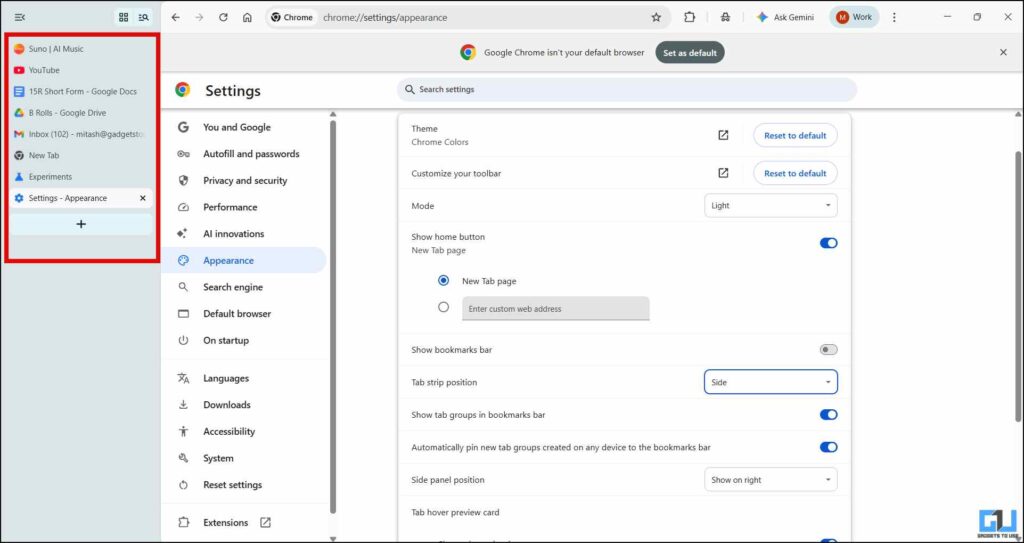
All tabs are shifted to the left side, stacked on top of each other.
You can switch back to horizontal tabs by switching the tabstrip position to ‘Top’. Also note that this works on all Chromium-based browsers, such as Brave and Microsoft Edge.
FAQs
Q. Is it safe to use Chrome flags?
Yes, they are safe to use, but since the features are experimental, they may be unstable or removed without notice.
Q. Can I turn off vertical tabs if I don’t need them?
Yes, you can either switch the tab strip position back to ‘Top’ or disable the feature completely through chrome://flags. Select ‘Default’ and Vertical Tabs and relaunch the browser.
completion
Vertical tabs make your Google Chrome experience better, especially if you are someone who has many tabs open at the same time. Because they are stacked on top of each other, you can easily read the title of the tabs. Meanwhile, you can explore other experimental features in Chrome Flags as well. However, keep in mind that these features are in the beta phase and may be unstable.
You may also like to read:
Do you have questions related to our how-to guides, or anything in the world of technology? Check us out GadgetsToUse AI Chatbot free, powered by ChatGPT.
You can also follow us for instant tech news Google News or for tips and tricks, smartphones & gadgets reviews, join the GadgetsToUse Telegram Groupor subscribe to the GadgetsToUse Youtube Channel for the latest review videos.
⬇️ GadgetsToUse Site Search ⬇️
You can find everything on our website including tech how to, solution or reviews using the google site search box below.
Was this article helpful?
YesNo