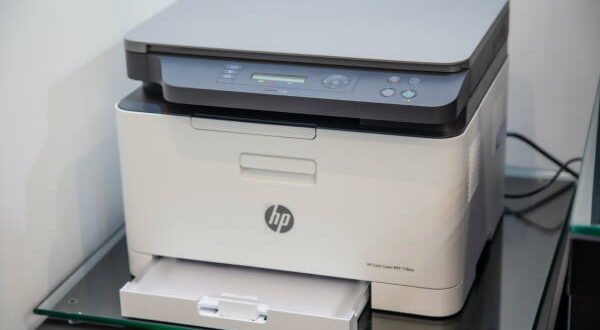
 So, you bought an HP Envy 5560 and it has been working brilliantly for the past few months. However, you have started to notice some small problems with the print quality and you are wondering what went wrong? The likely answer is that your printer needs some maintenance to return to its former glory.
However, if you don’t know how to do this, don’t panic as we have the information you need to enjoy many years of quality prints – read on to find out more!
Clean the exterior on a weekly basis
It may sound simple but cleaning the external casing of your printer on a weekly basis will stop dirt and dust from building up and clogging the machine. Use a fluffy cloth and only ever clean the parts you can easily reach (because the inner workings are cleaned in a different way).
Once you have cleaned the printer, make sure there are no obstructions to the printer and that you do not place it in a location that encourages people to build things on top of it. Prints must be kept clear and clean at all times.
Run the cleaning program every three months
HP works hard to make printing as easy as possible. One of the best things they install on all their printers is a printhead cleaning feature that works to remove any ink clogs and create an environment where ink runs freely and prints cleanly.
This program does not need to be run every week, in fact you only need to do it once every three months if you are a daily user and every six months for more sporadic use. The program runs quickly and quietly so you can get on with your day without interruption.
Buy replacement ink
HP Envy 5660 ink cartridges are not cheap to get if you choose to buy real ink, you can expect to pay a significant amount for not much ink. A better way to refill your printer is to choose replacement ink from a specialist service such as Smart Ink.
These cartridges contain excellent ink but cost much less because the companies that sell them don’t have the same overheads that need to be covered. Be sensible when choosing an ink company to buy from and only choose one that has a good return period and ongoing customer support services in case there are problems with the product you are buying.
Maintain your printer and enjoy it longer
When you look after your HP Envy, you can be confident that it will last longer and produce excellent results every time. From a simple dust to keep the printer clear and running the internal cleaning program to buying replacement ink, there really are some easy wins when it comes to looking after your machine. Include all of our tips in your computer maintenance regimen and you can expect it to last longer than you ever imagined.