ZDNET’s key takeaways
- Free local AI coding built a Mac app I actually use.
- Complex debugging exposed the limits of my 64K context.
- Small tasks help, but Claude Code is still my choice.
Free local AI coding can build a simple Mac app, but in my experience, it can’t reliably debug. Over the past few weeks, I’ve been using Qwen, Ollama, and OpenCode with a 64,000-token context on my M4 Max Mac Studio with 128GB of RAM. The stack runs entirely on my Mac and helped me build a screenshot-renaming utility. However, my attempt to build a PDF organizer stalled during debugging. So, I’ve decided that, for bigger projects, I’m sticking with Claude Code.
Also: I tried HP’s RTX Spark laptop and burned through 50M AI tokens – for $0
I have decades of coding experience and more than a year of agentic vibe coding under my belt. This experience was instructive but among the most frustrating of my entire coding career. This is my second look at free AI coding. The first one, in February 2026, was a total failure. This one showed some intriguing promise. After many, many hours of tinkering, frustration, and small wins, I learned a lot about local AI coding’s strengths and weaknesses.
My free local AI coding setup on a Mac Studio
My primary coding machine is a 128GB Mac Studio with an M4 Max processor. It’s a lot of RAM. But as my earlier testing showed with 64GB running on an RTX Spark processor, more RAM is necessary in order for the local AI coding harness to have any usable context. That’s essentially a measure of how much code and how many interactions the AI can handle before it has to clear its awareness and start over.
On that RTX Spark machine, I used a combination of llama.cpp, OpenCode, and Qwen-coder to do some test coding. When I fed it a full Mac app and told it to translate the app for use on Windows, the coding stack was able to make enough progress to show a rudimentary user interface.
Also: Is Claude Code truly faster with message threads? Here’s my logs
That experiment was mostly a stunt. For this article, my goal was to create an actual, usable app that helps me solve a real-world problem. Spoiler: It did, but only just.
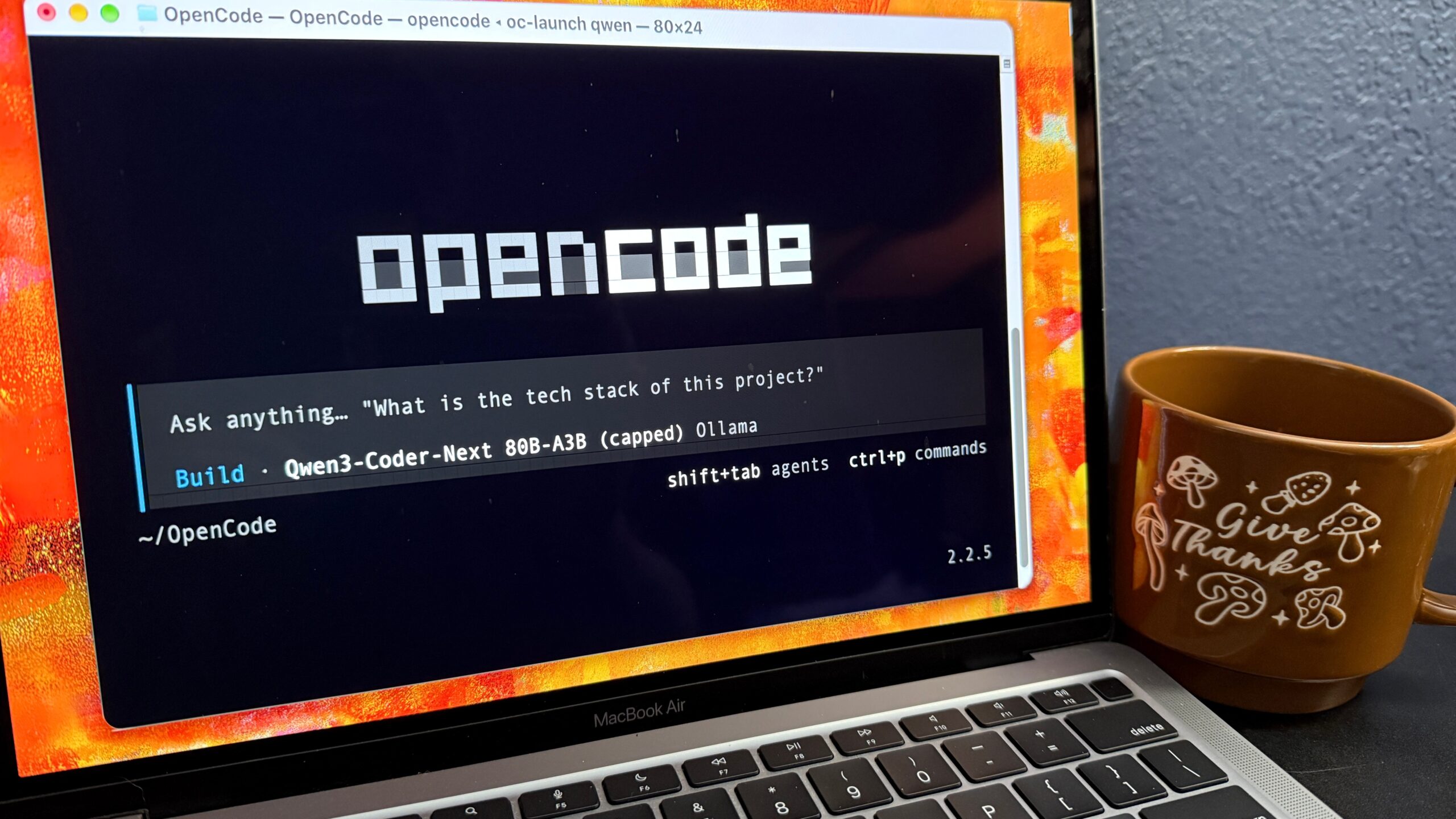
I kept OpenCode as my agentic coding harness, upgrading to v2.2.5. I already had Ollama running on my Mac in a traditional Mac windowing environment that runs the llama.cpp code. So I stuck with Ollama.
For coding, I switched back and forth between two models. I used qwen3-coder-next:q4_K_M, an 80-billion-parameter model that uses only 3 billion active parameters at a time. This makes it fast.
This Qwen model is built for coding agents and shows its work as it thinks through problems. It mostly worked well within its practical constraints, although it sometimes inserted Chinese characters in its text responses. That’s fair, since Qwen is a Chinese-designed model from Alibaba.

Here’s a fun fact. Qwen is often referred to as Tongyi Qianwen, which means “Truth from a thousand questions.” You can’t get more perfect than that for a name.
I also used Gemma4:26b because it’s multimodal. Gemma is not nearly as good at coding as Qwen-coder. But I could feed Gemma a screenshot, and it could interpret it. Its problem is that it tends to have runaways and doesn’t talk as much while it works, so it gets lost very easily.
Mostly, I just ran Qwen. But the few times I really needed the model to understand a screenshot, I fired up Gemma.
Also: How I set up Claude Code in iTerm2 to launch all my AI coding projects
As for OpenCode, I just created a folder for my OpenCode work, opened up Terminal, changed to the OpenCode folder, and ran the harness in Terminal. That mirrors how I run Claude Code, which lives in iTerm2.
Then, as proof of installation, I told it to create a very simple app that displayed the canonical “Hello, world” message.

Where local AI coding failed with a MacOS 27 PDF organizer
If there’s one single fact you take from this article, make it this: In late 2026, local AI coding can’t reliably do complex debugging. I learned that the hard way.
The local AI simply can’t sustain enough context to track the back-and-forth actions required in diagnostic debugging. This first project was all about diagnostic debugging. It ultimately failed. That’s why I had to move on to something simpler.
Also: How I made a paid Mac app in 11 days with Claude
One of my standard agentic coding tests involves asking the agents to organize a big folder of PDFs by renaming files to be more descriptive and sorting them into folders by topic. Because MacOS 27 now includes on-device AI that can understand document meaning, I decided to build my PDF-organizing challenge into an app.
Big mistake. The foundation model for document meaning is very, very new. It’s not well documented. It’s certainly not baked into the coding AI’s knowledge base.
I spent a full five days going down that rabbit hole, trying to get OpenCode to find the right online documentation, learn about the APIs, and build the app.
I actually made some real progress. My app was able to examine a PDF and report back on the subject of the document. But it wasn’t able to do so repeatedly. There’s a big jump in terms of memory management and AI limits when the project scope goes from examining one document to doing the same with a hundred or a thousand at a time.

Figuring out and diagnosing the memory management, session management, and inherent limitations of a brand-new on-device AI subsystem was simply beyond what my local AI stack could handle with its limited context.
So, after what felt like a wasted and bummerific week, I decided to regroup.
How I built a Mac app that renames screenshots with local AI
For my second attempt, I chose a project that uses MacOS interfaces that go back to the dawn of time: displaying a file list, choosing directories, showing an image, and entering text. Nothing new, untested, or undocumented.
The project itself is simple, but it’s something I actually need. I take a ton of screenshots, probably 20 to 50 for each article I write. My tool of choice is CleanShot X, which produces files named like “CleanShot 2026-10-27 at 3.26.15 PM@2x”. I have a folder of more than 7,000 images, all with that unhelpful title format.
Also: 75% of developers I surveyed prefer Claude Code – here’s why
I wanted a quick tool that would let me open a folder of images, display one image at a time, and let me rename it. As soon as I hit Return, I wanted the app to save the new name and load up and display the next screenshot.

I did actually create the app, although it took me almost six days to get it done. That’s because I spent four days trying to cajole the AI into displaying a list of files in that left pane.
Eventually, I just gutted all the file display code, started a fresh instance of OpenCode with no knowledge of what had come before, and then asked it to build the file list. No debugging. No refinement. Nothing else to confuse it. Finally, it worked.
Why a 64,000-token context made debugging harder
Let me be clear: Displaying a list of files is not hard. I could have written that code by hand in an hour or two. But I wanted to prove that local AI could write an entire app. So I spent four days fighting with the list feature.
The challenge here went back to what I said earlier: Local AIs have a hard time debugging code. In the iterative process of debugging, you find clues, build up bits of knowledge, run tests, and eventually (hopefully) have an aha moment. Claude Code, with its million-token context, does this fabulously. OpenCode, with just a 64,000-token context, fails at this miserably.
Also: Claude Code vs. Codex: Why I use both and how to choose one (if you must)
The app is pretty cool, but I’ve had to limit its features. There’s no drag bar to make the left or right pane a different size. There are no file name or date templates for new file names. There’s no zoom feature to look at the image in more detail. There are no arrow keys or buttons to quickly move back and forth between file names.
All of these features are bells and whistles that would have to be integrated and debugged. I simply don’t hate myself enough to go through another debugging fight just for some slightly fancier features.
But hey, mission accomplished. I built a fully working Mac app entirely using the AI, entirely locally, on my computer.
Best practices for local AI coding with OpenCode and Ollama
Based on my experience, I can divide this into two major categories: the stack you use and the coding practices you use. Let’s start with the stack.
I chose two different models because they each had unique strengths. But be careful. Don’t let OpenCode choose the model. I set up little command-line shortcuts so that I opened just one model at a time. That way, I could be deliberate about the model I used, and OpenCode couldn’t just randomly use whatever it found.
Also: I gave Claude Cowork 7 non-coding jobs, and it earned a spot in my toolbox
Models are measured by both size (in billions of parameters) and active parameters. Active parameters are found on MoE (“mixture of experts”) models, which effectively wake up a subset of experts (AI smarts) when those experts become relevant. I tried a 27-billion-parameter model and an 80-billion-parameter mixture-of-experts model that woke up 3 billion parameters at once. The bigger MoE model was six times faster, even though it used a lot more RAM.
Be super careful about locking down permissions on these models. They’ll happily blast out shell commands, moving and deleting files and directories. Their propensity to be fairly incompetent makes it dangerous to let them play untethered. I made sure that they requested permission for every single thing they wanted to do. It was more annoying but safer.
Now, let’s move on to the coding practices. My first and biggest tip is to restart the session for every new fix, feature, and problem. If you keep the subject small enough, the local AI might be able to handle it. As soon as you add a few more items … squirrel!! The AI will run off and get lost or hang.
The AI also has no archiving or tracking command. I modified the AGENTS.md file to tell it to log learnings and process but found that even reading those instructions in caused it to use up too much context. So I kept AGENTS.md very tiny and had the AI write separate .md files, which I’d have it reference only on demand.
Also: This local AI quickly replaced Ollama on my Mac – here’s why
Keep research completely separate from coding. If you want the AI to figure out how a feature is coded, you can send it off to do research. Have it write a .md file with its findings. Then, in a completely separate session, have it read that file in and start coding.
Debugging is the local AI’s kryptonite. If you’re unlucky enough to have a bug, you’re going to have to handhold the AI through every minor stage of the fix. Remember to restart the session between each test and observation.
Finally, as I learned, keep the project small. The local AI can’t handle a big application using just-released API calls. You can make simple apps. But it really can’t manage big apps unless you use it very sparingly.
Can free local AI coding replace Claude Code?
I’ll answer this by revisiting my original three questions.
Can a free and open-source local AI coding stack build a Mac app? Yeah, it really can. My Screenshot Rename app really works. I even used it today on this article’s set of screenshots. That’s a big step up from where we were in the past. You actually can have a junior (very junior) programmer living in your computer.
Can it build a sophisticated and full-featured app? No. Not a chance. At least not using the local models. Big apps require large contexts. I use a 64,000-token context with this local AI solution. But for my main coding projects in Claude Code, I regularly chew through a million-token context five or six times a night.
You might be able to use a local harness like OpenCode with an inexpensive remote LLM running on something like Ollama’s cloud. But by that point, Codex or Claude Code might be a better way to go.
Would I give up Claude Code for this solution? No. Claude Code and Codex are amazing, force-multiplying tools that have changed my entire coding lifestyle. This local AI solution was barely possible and painful.
Also: I quit ChatGPT for a free, private, and local AI called Ollama – here’s why
I spent the better part of two weeks (including weekends) on it, at least half a workday each day, and all I have to show for it is a rudimentary image renaming app. I could have hand-coded that thing in just a few evenings with a lot less stress. The only reason I didn’t give up was to be able to write this article.
So that brings me to the question I get asked a lot by readers.
Is free local AI vibe coding good enough for nonprogrammers? No. Absolutely not. At least not yet. I spent most of my time teaching, cajoling, debugging, and correcting coding mistakes and misunderstandings. That all required programming experience. If you’re a newbie, a local AI coding environment will cost you more than it will ever provide.
Now, contrast that with Codex and Claude Code. Both of them can become coding partners. If you give them the right prompts and think through what you want, there’s a very good chance both of them could give you a real application and might even be able to teach you about coding.
The bottom line is this: Local AI coding is practical, but you need to make sure to keep the complexity low and understand the limitations of the models. For some pinpoint applications, like my image renaming hack, it’s not bad. But do not assume it can code on its own, don’t expect it to debug its mistakes, and make sure you guide it every step of the way.
Also: How I built the writing app I needed in 2 hours for free – with Ollama and VS Code
Coming out of this tedious two-week project, I have two takeaways.
The first is that I’m a bit disappointed that local AI coding has the limitations I described and is still not really ready for serious coding work.
The second is that, without needing the cloud, a data center, or anything particularly huge, a box roughly the size of a classic Scooby-Doo lunchbox was actually able to write a Mac utility that will help with my daily workflow.
Cool!
You can follow my day-to-day project updates on social media. Be sure to subscribe to my weekly update newsletter and follow me on Twitter/X at @DavidGewirtz, on Facebook at Facebook.com/DavidGewirtz, on Instagram at Instagram.com/DavidGewirtz, on Bluesky at @DavidGewirtz.com, and on YouTube at YouTube.com/DavidGewirtzTV.

See full bio