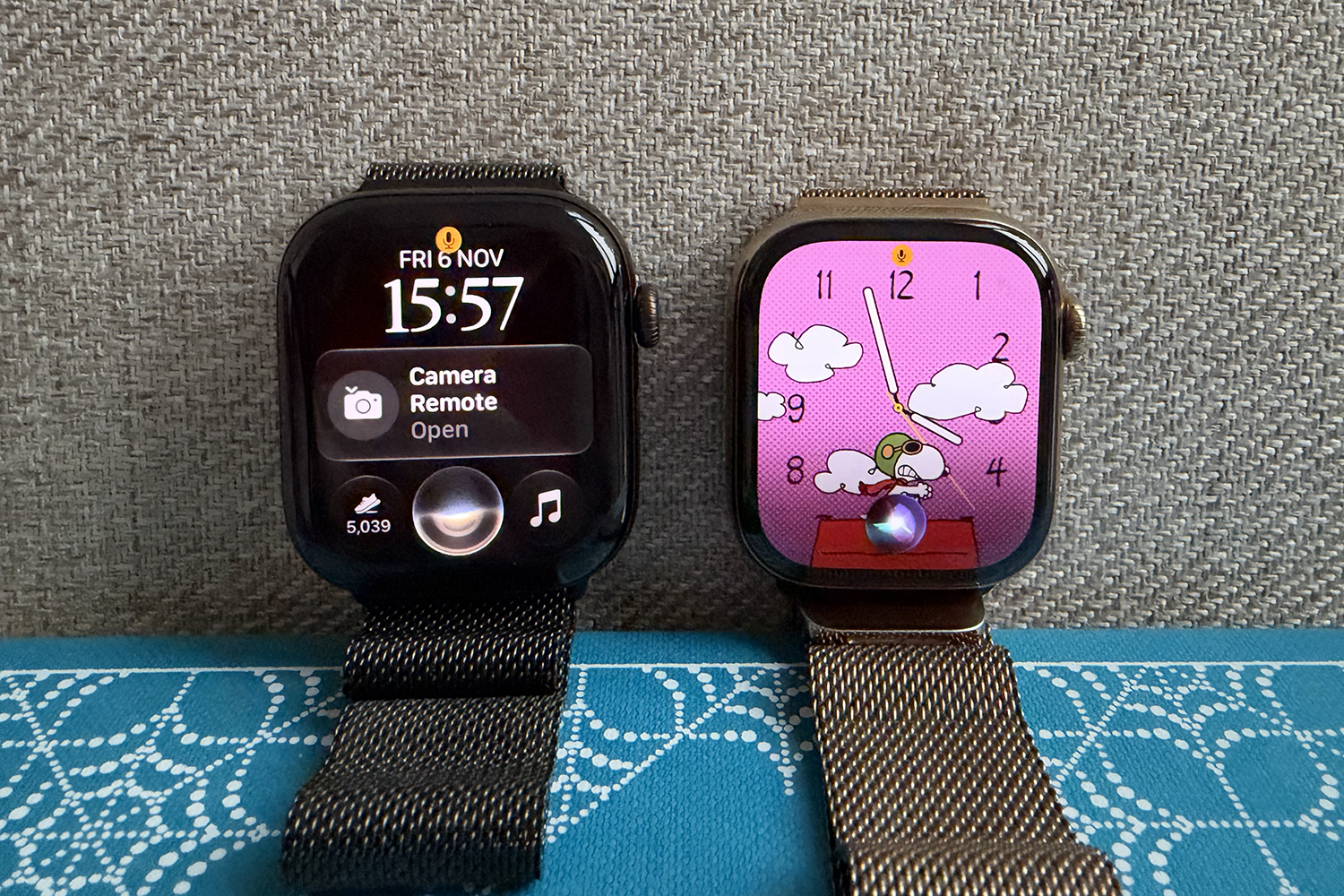
Talking to your Apple Watch has always meant raising your wrist, speaking slowly and hoping for the best. The old Siri could set a timer or start a workout, but if you gave it a two-part request or changed your mind halfway through, it usually gave up. Most of the time you have a web result too small to read, or a suggestion to complete the work on your iPhone. Silly, really, because if your iPhone had been in your hand, you would have used it in the first place.
WatchOS 27 brings Siri AI to the Apple Watch. It’s the smarter, more context-aware assistant that Apple first promised two years ago (yes, two whole years), and part of it is now running on Google’s Gemini. It includes its own app and a new Siri Modular watch face. The watchOS 27.2 update made it faster and added languages beyond US English.
To see what changed, I kept my Apple Watch Series 10 running watchOS 26 while an Apple Watch Series 12 running watchOS 27.2, and both asked the same ten questions. Some were mundane tasks. Others were requests that the old Siri had been smoking since Series 3, so it had a lot of practice.
“Remind me to call the vet when I get home, but if that’s after 7pm, do it tomorrow morning.”

What I tested: Whether Siri could handle a reminder that depends on location, time and a backup plan, all in one request.
Old Siri: A spinning wheel of doom followed by “Sorry, could you say that again?” No, Siri, I can’t. That took a lot of concentration the first time.
New Siri: Added a reminder to call the vet to my work/life admin list, set to go off when I get home. It said that if I came back after 7:00pm I would finish it in the morning, although it’s not clear if the memory actually comes back up the next morning or just stays there to judge me for coming home late.
“Start a 12-minute timer for the eggs. Actually, make it 14.”
What I tested: If Siri could handle it, I corrected myself. I do this a lot. We can’t get it right every first time.
Old Siri: I got two different results, each wrong in its own special way. It either set a 14-minute timer with no name, or a 12-minute timer called “Eggs”. I might have the right time or the right label, just never both.
New Siri: Nail it for the first time with a 14-minute timer called “Eggs.” The eggs and I were equally relieved.
“Send Puff to say I’m on the northern line and ask if he’s ordered yet.”

What I tested: If Siri could turn what I said into a normal text message, instead of sending Puff a transcript of my request.
Old Siri: This made me smile. Old Siri sent a message to Puff (my other half’s nickname) that read: “I’m on the Northern Line asking if he’s ordered yet”. Puff was confused and I was no closer to getting my take away order.
New Siri: Much better. Siri drafted a message to Puff saying “I’m stuck on the northern line. Have you ordered yet?”, then asked if I wanted to send it.
“How did last night’s walk stack up against my last three?”
What I tested: Whether Siri could compare my recent activity with my own health data. A fitness watch should be fine with it.
Old Siri: “I can’t help you with that.” Short and honest at least, but no use.
New Siri: “I couldn’t find data for your recent walks in your workout history. If you’ve been tracking them with a specific app, try opening that app to compare your stats.” A polite way of saying the same thing, although I track walks with Apple Watch, so it really could have done better.
“Do I need a waterproof jacket for the fireworks tonight?”

What I tested: If Siri could check my calendar to find out where and when the fireworks were, then look up the weather for that place and time.
Old Siri: Couldn’t make sense of the event in my calendar, where it was or when. Instead it gave me a list of links like “Met Office on X: Are you going to a fire or fireworks tonight…” Yes, Met Office. That’s why I asked.
New Siri: “You don’t need a waterproof jacket for the evening rain, as the forecast for [town] showing 0% chance of precipitation.” Dry skies, direct response, no links.
“Find LG’s Pasta Recipe That Mom Sent Me”
What I tested: If Siri could search my emails and messages and find my uncle LG’s pasta baking recipe that mom passed down to me.
Old Siri: Got me links for the device manufacturer LG. Except mom started sending me refrigerator-freezer manuals, not what I was after.
New Siri: “I found the recipe for the LG noodles your mom sent you.” It was in an email from 2021, which is further back than I ever bothered to scroll.
“Who are Arsenal playing this weekend?” > “What time is kick-off?” >”Remind me an hour before.”

What I tested: Follow up questions. Could Siri keep track of what I was talking about, or treat each question as a new one?
Old Siri: Absolutely useless. It served up a bunch of links to football games, so it didn’t even get past the first question. The follow-up never stood a chance.
New Siri: “Arsenal play Hull City this weekend. Kick-off is tomorrow at 3pm and I’ve set a reminder for you at 2pm, an hour before the game.” Three questions, three correct answers, and it even did the math for me.
“Where did David say he was this week?”
What I tested: If Siri could search my messages and find the answer, instead of praying to David or searching the Internet.
Old Siri: Gave me a list of links to articles written by David about which I asked. Interesting read, but no clue where he was.
New Siri: “David said on Monday November 2 that he would be in Norway for three days this week.” Correct, and less awkward than texting him to ask again.

“Take me to the nearest apothecary that is still open.”
What I tested: Find a place, check its opening hours and start directions on the clock, all from a request.
Old Siri: Got me a list of nearby chemists. When I typed one, Apple Maps opened with directions. not bad at all.
New Siri: Asked which chemist I wanted and gave me a list to choose from. I typed one, it started directions and suggested an outdoor walk in the smart floor. A workout on the way to buy plumbers is a peak Apple Watch.
Will my Apple Watch get new Siri?

You get Siri AI if you have an Apple Watch Series 9 or later, an Ultra 2 or later, or the Apple Watch SE 3. The Series 8, the original Ultra and the second generation SE and older will stay on the old Siri. Your iPhone is also important. watchOS 27 requires an iPhone 11 or later, or a second generation SE or later, running iOS 27.
Siri AI also needs an Apple Intelligence-capable iPhone – the iPhone 15 Pro or newer, so even a new Series 12 paired with an older phone like the iPhone 15 won’t get it. Siri AI launched in US English only, although watchOS 27.2 added more languages. To get it, first update your iPhone to iOS 27, then install watchOS 27 from the Watch app on your phone.
Read more: Live Rewind and Siri Recap explained, and how to prevent your Apple Watch from listening to you

