I just received a package from California from a fellow named Michael Yim. He got in touch a while ago. I think I saw his miniature CRT monitor MS-DOS prompt toy online, and I wrote to him. He said, “Okay, I’ll send you one to play with.”
Here is his link – a good read. By the way, I’m not sponsoring anything.
I’ll cut a long story short: it cost him $23 (US postage paid) to send from San Jose, USA to Galera, southern Spain, and the postal people somehow managed to send the package back, so yesterday his second attempt arrived. Interestingly, the packages look identical (from his photo of the first one) so God knows how the Post-People blew the first attempt.
But here’s what ended up – absolutely no purpose but great to have, the green USB-powered C: Prompt” monitor goes on top of my PC monitor. This absolutely reminds me of my late 1980s Act Sirius-1 (Victor 9000 in the US). I love it.
Plug it into USB, prompt lights complete with blinking search cursor – that’s it 🙂 The USB is on the back… Isn’t it great that someone spent the time to make this.
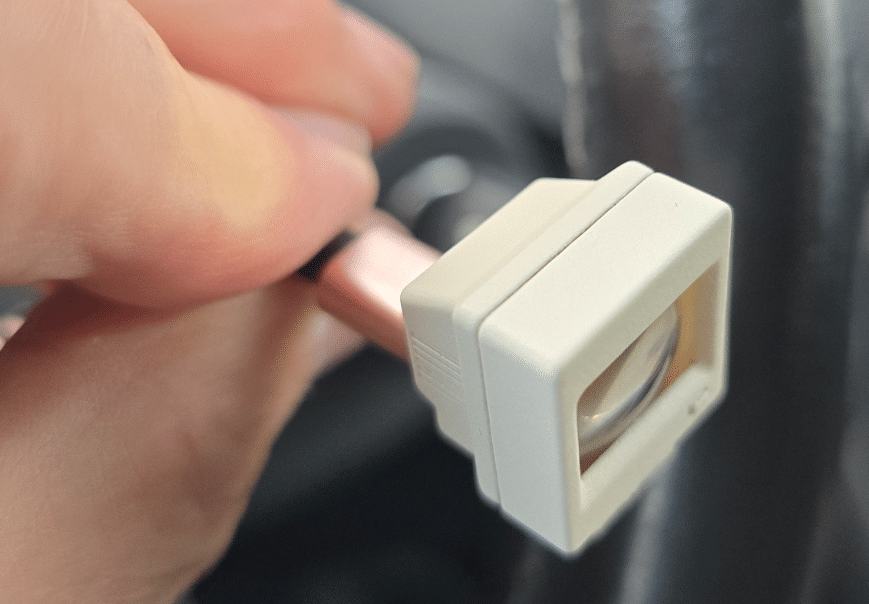
I also got another one – identical but with a white c:\> prompt… In both cases the screens are even crowned like the originals (way before flat screens).
Not much more I can say about these other than to say they are a great gimmick.
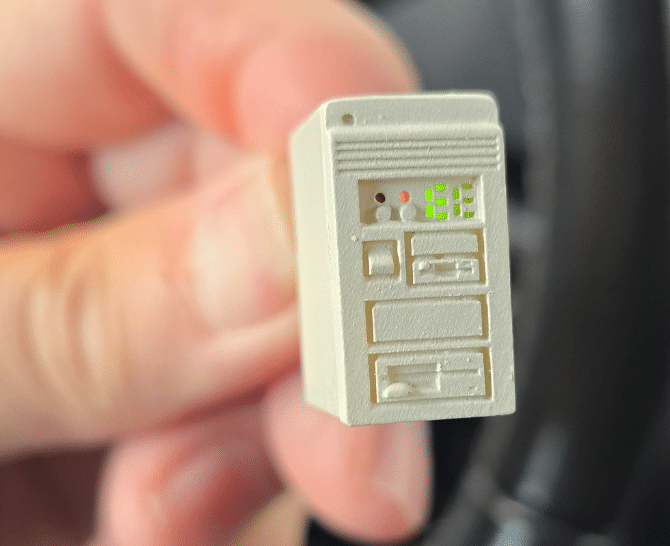
It was a third light-up miniature PC that looked like some towers I owned over the years before switching to mini-PCs. No monitor display on this one – just the various LEDs typical of tower PCs. Isn’t that fun…
That’s it for the small PCs, the only other thing that arrived in the box was a small paper-white display board that the company sold – It needs to be connected to an ESP to do something with it – but out of the box it shows a HELLO world message (typical paper white, no power needed – not a dummy display, not volatile – only need to change power (and processor).
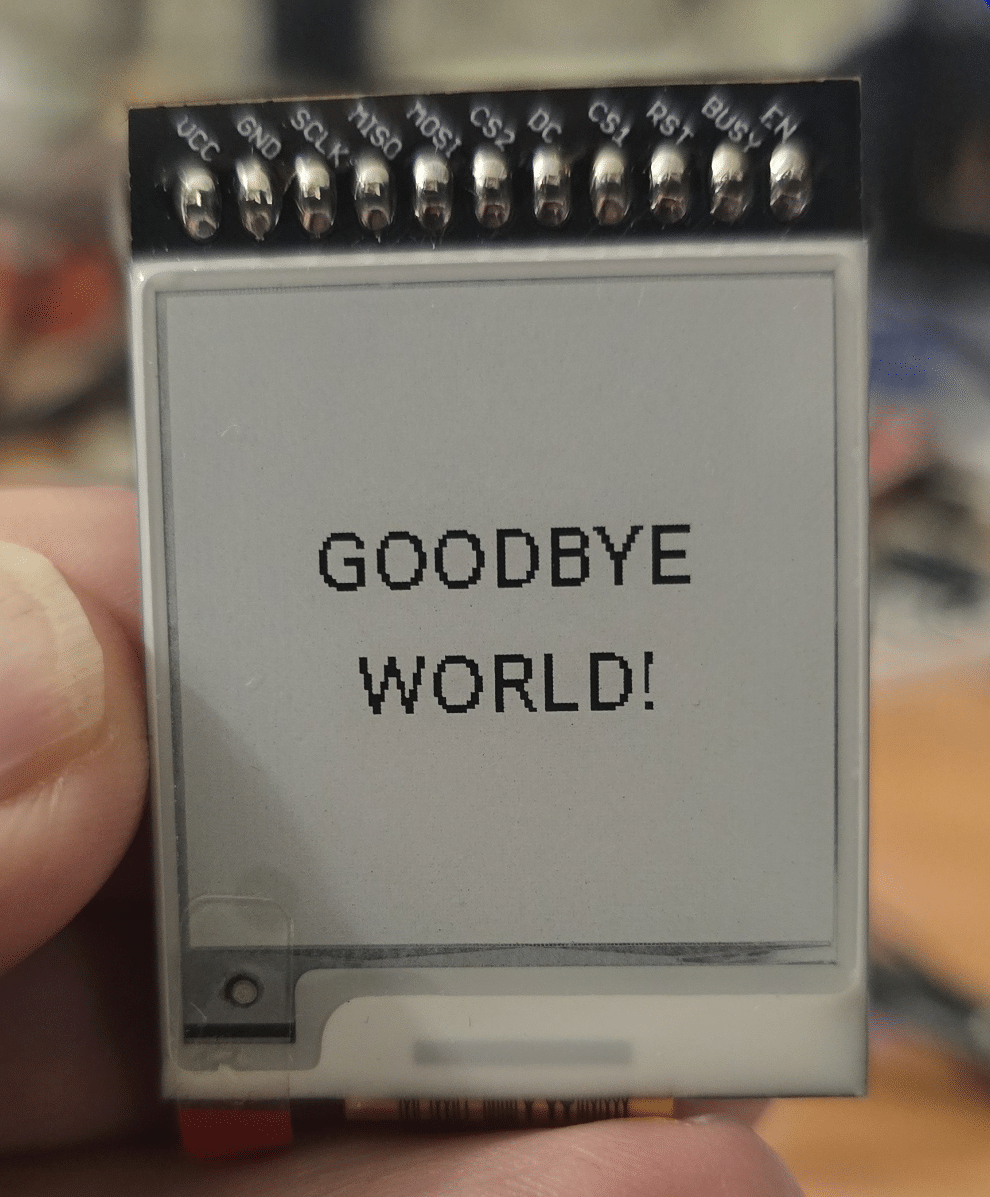
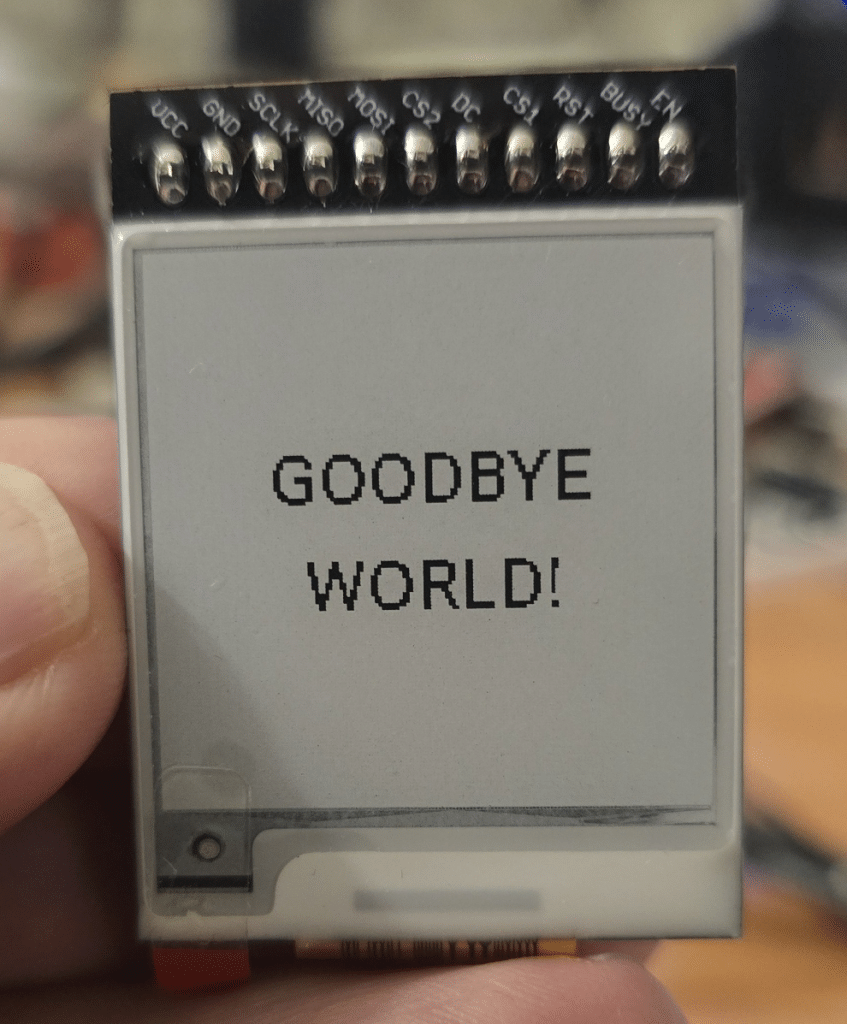
Anyway – here it is. It’s just an SPI connection and nowadays the screen should be simple – at least for a “goodbye world” 🙂
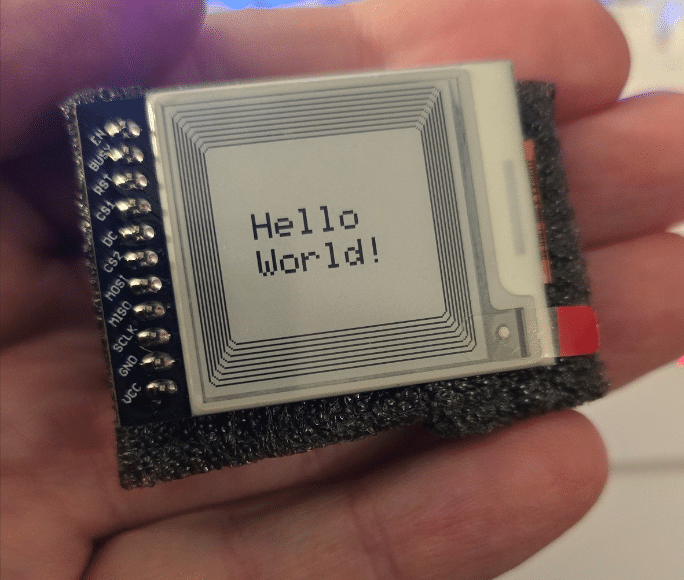
The display arrived as in the picture to the left and says “Hello World”.
I told ChatGPT I want to use ESPHOME instead of Arduino and…
The ESPHome DEV version is currently (19/10/2026) needed to make the small display. And as if by magic… I loaded the project you see here… I doctored my SSID and password to protect the innocent. Why use a Seed ESP32-C6 board? Only when I had one handy connected with pins – the screen also came connected with pins. EASY. This is fun… look at pins in the code – it seems the board runs on 3v3 or 5v, I used 3v3. All pins below connected to Seeed ESP32-C6. No other parts – just USB-C to the C6 for power.
esphome:
  name: eink-c6
  friendly_name: E-Ink C6

esp32:
  board: seeed_xiao_esp32c6
  framework:
    type: esp-idf

logger:

api:

ota:
  - platform: esphome

wifi:
  ssid: "blah"
  password: "xxxxxx"

  ap:
    ssid: "E-Ink-C6 Fallback"
    password: "12345678"

spi:
  clk_pin: GPIO19
  mosi_pin: GPIO18
  miso_pin: GPIO20

display:
  - platform: epaper_spi
    model: SSD1681

    dimensions:
      width: 152
      height: 152

    cs_pin: GPIO21
    dc_pin: GPIO1
    reset_pin: GPIO0

    busy_pin:
      number: GPIO2

    enable_pin: GPIO16

    rotation: 0
    update_interval: 30s

    lambda: |-
      it.fill(Color::WHITE);

      it.print(
        76,
        60,
        id(font_large),
        Color::BLACK,
        TextAlign::CENTER,
        "GOODBYE"
      );

      it.print(
        76,
        90,
        id(font_large),
        Color::BLACK,
        TextAlign::CENTER,
        "WORLD!"
      );

font:
  - file: "gfonts://Roboto"
    id: font_large
    size: 20
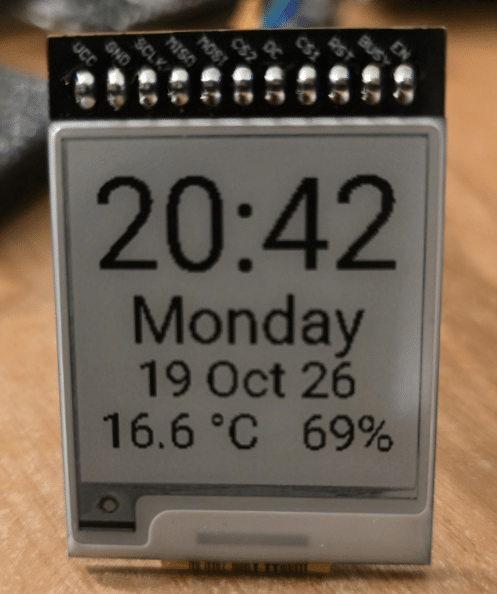
Ok, the code above is simple but with a pretty cool result – how about this – to use – you need to change my WiFis and the Home Assistant outdoor temperature and humidity sensors – and to read them, the device needs to be added to HA first – but here is a finished use for the E-Ink display – again with the ESP32-C6 as it was practical.
substitutions:
  device_name: eink-c6
  friendly_name: E-Ink C6
  device_version: "0.1"

esphome:
  name: ${device_name}
  friendly_name: ${friendly_name}
  on_boot:
    priority: -100
    then:
      - delay: 15s
      - component.update: eink_display
      - delay: 8s
      - deep_sleep.enter: eink_sleep

esp32:
  board: seeed_xiao_esp32c6
  framework:
    type: esp-idf

logger:

api:

ota:
  - platform: esphome

wifi:
  networks:
    - ssid: !secret wifi_ssid
      password: !secret wifi_password
    - ssid: !secret wifi_ssid2
      password: !secret wifi_password
    - ssid: !secret wifi_ssid3
      password: !secret wifi_password
    - ssid: !secret wifi_ssid4
      password: !secret wifi_password
    - ssid: !secret wifi_ssid5
      password: !secret wifi_password

  power_save_mode: none
  post_connect_roaming: true

  ap:
    ssid: "E-Ink-C6 Fallback"
    password: "12345678"

deep_sleep:
  id: eink_sleep
  run_duration: 30s
  sleep_duration: 60s

time:
  - platform: sntp
    id: local_time
    timezone: Europe/Madrid

    on_time_sync:
      then:
        - component.update: eink_display
sensor:
  - platform: homeassistant
    id: outdoor_temperature
    entity_id: sensor.outdoor_meter_65_temperature

  - platform: homeassistant
    id: outdoor_humidity
    entity_id: sensor.outdoor_meter_65_humidity

spi:
  clk_pin: GPIO19
  mosi_pin: GPIO18
  miso_pin: GPIO20

font:
  - file: "gfonts://Roboto"
    id: font_time
    size: 56

  - file: "gfonts://Roboto"
    id: font_day
    size: 30

  - file: "gfonts://Roboto"
    id: font_date
    size: 24

  - file: "gfonts://Roboto"
    id: font_temp
    size: 24

  - file: "gfonts://Roboto"
    id: font_small
    size: 16

display:
  - platform: epaper_spi
    model: SSD1681
    id: eink_display

    dimensions:
      width: 152
      height: 152

    cs_pin: GPIO21
    dc_pin: GPIO1
    reset_pin: GPIO0

    busy_pin:
      number: GPIO2

    enable_pin: GPIO16

    rotation: 0
    update_interval: never

    lambda: |-
      it.fill(Color::WHITE);

      // Time
      if (id(local_time).now().is_valid()) {
        it.strftime(
          76,
          2,
          id(font_time),
          Color::BLACK,
          TextAlign::TOP_CENTER,
          "%H:%M",
          id(local_time).now()
        );

        // Day
        it.strftime(
          76,
          60,
          id(font_day),
          Color::BLACK,
          TextAlign::TOP_CENTER,
          "%A",
          id(local_time).now()
        );
      }

        // Date
        it.strftime(
          76,
          90,
          id(font_date),
          Color::BLACK,
          TextAlign::TOP_CENTER,
          "%d %b %y",
          id(local_time).now()
        );

      // Temperature and humidity
      if (id(outdoor_temperature).has_state() &&
          id(outdoor_humidity).has_state()) {
        it.printf(
          76,
          115,
          id(font_temp),
          Color::BLACK,
          TextAlign::TOP_CENTER,
          "%.1f °C   %.0f%%",
          id(outdoor_temperature).state,
          id(outdoor_humidity).state
        );
      }