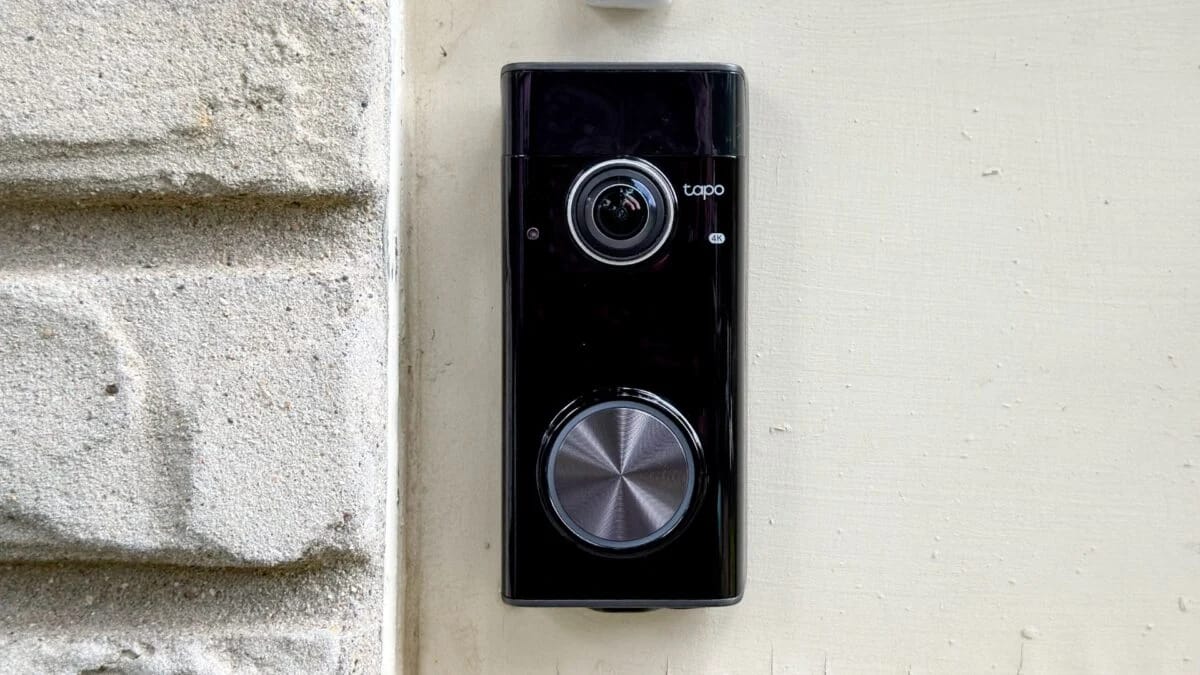
The TP-Link Tapo Doorbell Pro D260 has almost everything I could want in a video doorbell. Its features include a 4K camera with local storage (you provide the microSD card) with on-device person, animal, and package detection—all without a subscription.
All of that comes in a doorbell that looks nice, feels well-built, and produces crisp, 4K footage that’s not quite the best of the best but is also very far from the worst I’ve seen. And it should work in nearly any home. Prefer a wired doorbell? It will work with your existing 8-24VAC wiring. Don’t want to mess with that? It can run on battery, too. Got an existing wired doorbell chime? It should be able to make that go bing bong.
The D260 goes for $220, which is pricey but not exorbitantly so, especially since there are no monthly fee unless you really want cloud storage. There are only a handful of drawbacks—such as the fact that it doesn’t work with Apple Home—that make it not quite right for me, but I’d recommend it for almost anyone else.
Tapo Doorbell Pro D260
A fantastic video doorbell with all the features other companies charge a subscription fee for.
- Crisp, high-quality video
- Loads of custom detection options
- Local storage (with subscription cloud storage available)
- Can be wired or battery-powered
- 24/7 recording in wired mode
- Inconsistent AI notifications
- AI summaries are useless
- Expensive hardware and subscriptions
- No local storage
Quick and easy setup
Setting up the Tapo D260 involves plugging it in, using the USB-C port on its bottom edge, and pressing the power button on the back. Next, you’ll scan for the doorbell in the Tapo app, tap the device when you find it, and let the app walk you through the rest. That includes installation, opting into or out of TP-Link’s Tapo Care cloud-based footage storage plan, and testing the camera’s Wi-Fi signal, ideally from where you plan to install it.
Your physical installation options include sticking the D260’s mounting bracket to the outside of your home with the included double-sided 3M adhesive pad or fixing it to the wall with the included screws. After that, the camera slides into the bracket and is secured with a small screw on the bottom. If you’d rather angle it toward the front of your door, an angled adapter plate comes in the box for that, too. Altogether, installation and setup ate up around 10 minutes of my time.
In the Tapo app, after setup, the D260’s home screen is dominated by the camera’s live feed and controls for things like taking snapshots, manually recording video, and muting audio. Look further down, and you can quickly disable recording, play premade or custom-recorded “Quick Responses” through the D260, flip on an LED light ring around its doorbell button, and have the camera automatically tag objects with a box that identifies them as people, animals, and so on.
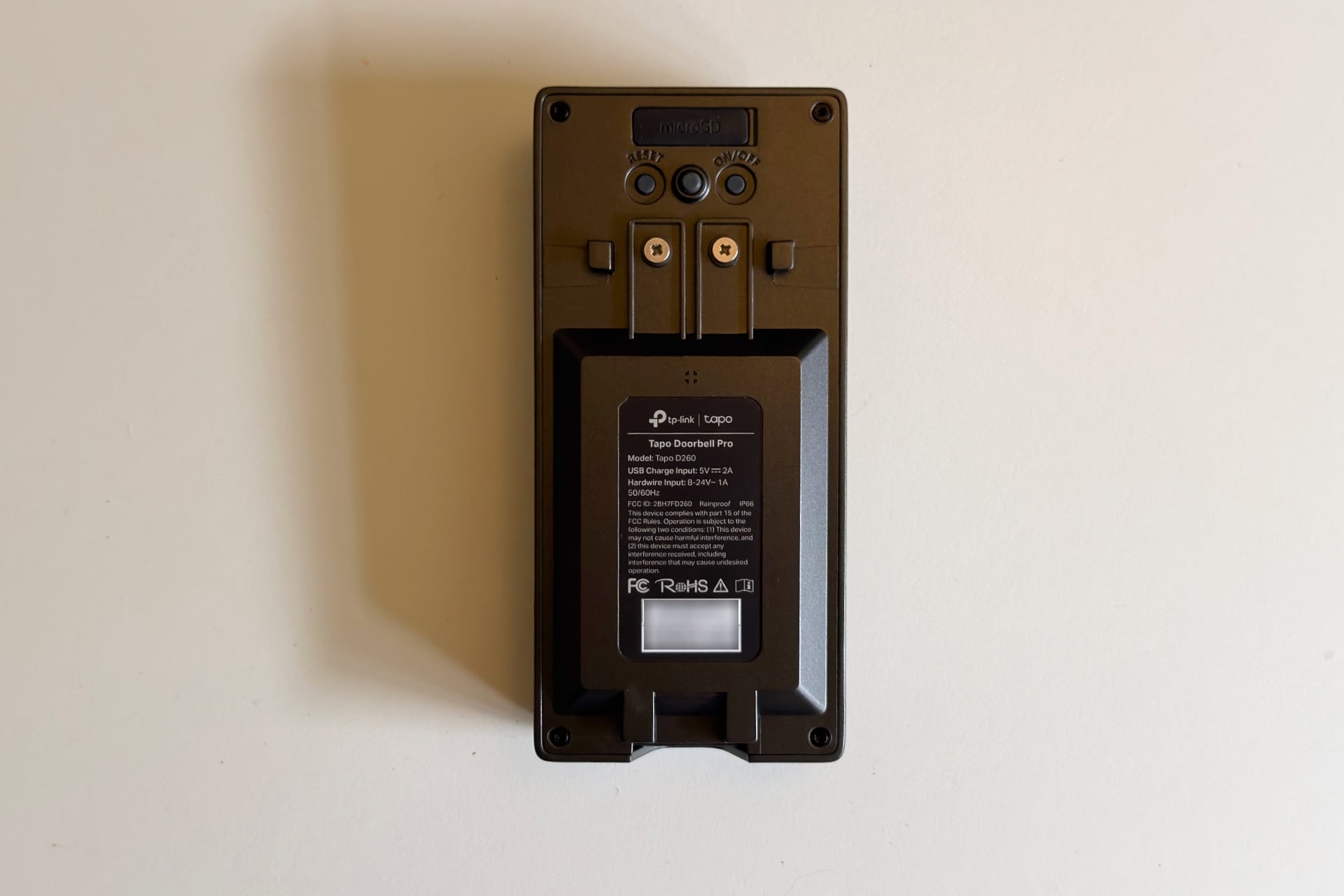
One thing that surprised me was the D260’s apparent build quality. You’d hope a $220 device would feel well-made, but that’s not always how these things play out. The D260 is weighty, which doesn’t necessarily mean anything—lightweight products can still feel cheap and empty inside, as I often do, and artificial heft is a good way to disguise those shortcomings. But the device also feels solid as it slides into its mounting bracket, and I like the firm clickiness of its doorbell button.
Plenty of features, but not all of them are useful
The Doorbell Pro D260 has some interesting, unique features. One, called “Aerial View,” uses the camera’s dual PIR sensors to track objects within the doorbell’s detection range. If you’re watching the camera’s feed when someone enters its view (or a recording of such an event later on), a small picture-in-picture box pops up in the bottom corner of the video showing the intruder as a little dot moving around on an overhead satellite image. The dots tracked my own movements with surprising accuracy in near real time. It’s a neat idea, though I’m not sure how useful it is, since the PIR sensor didn’t detect anything the normal camera didn’t also see.
There’s also “Voice Mask,” which artificially deepens your vocals when you speak through the camera. I suppose someone vulnerable, such as a child, could use this to hide the fact that they’re home alone. But it’s so clearly artificial—like the fake voices that protect sources’ identities on TV news reports—that I wonder if it could have the opposite effect, alerting a would-be intruder that they may have found an easy target. Beyond that, it’s also hard to understand the masked voice, so maybe don’t bother turning it on unless you enjoy repeating yourself.
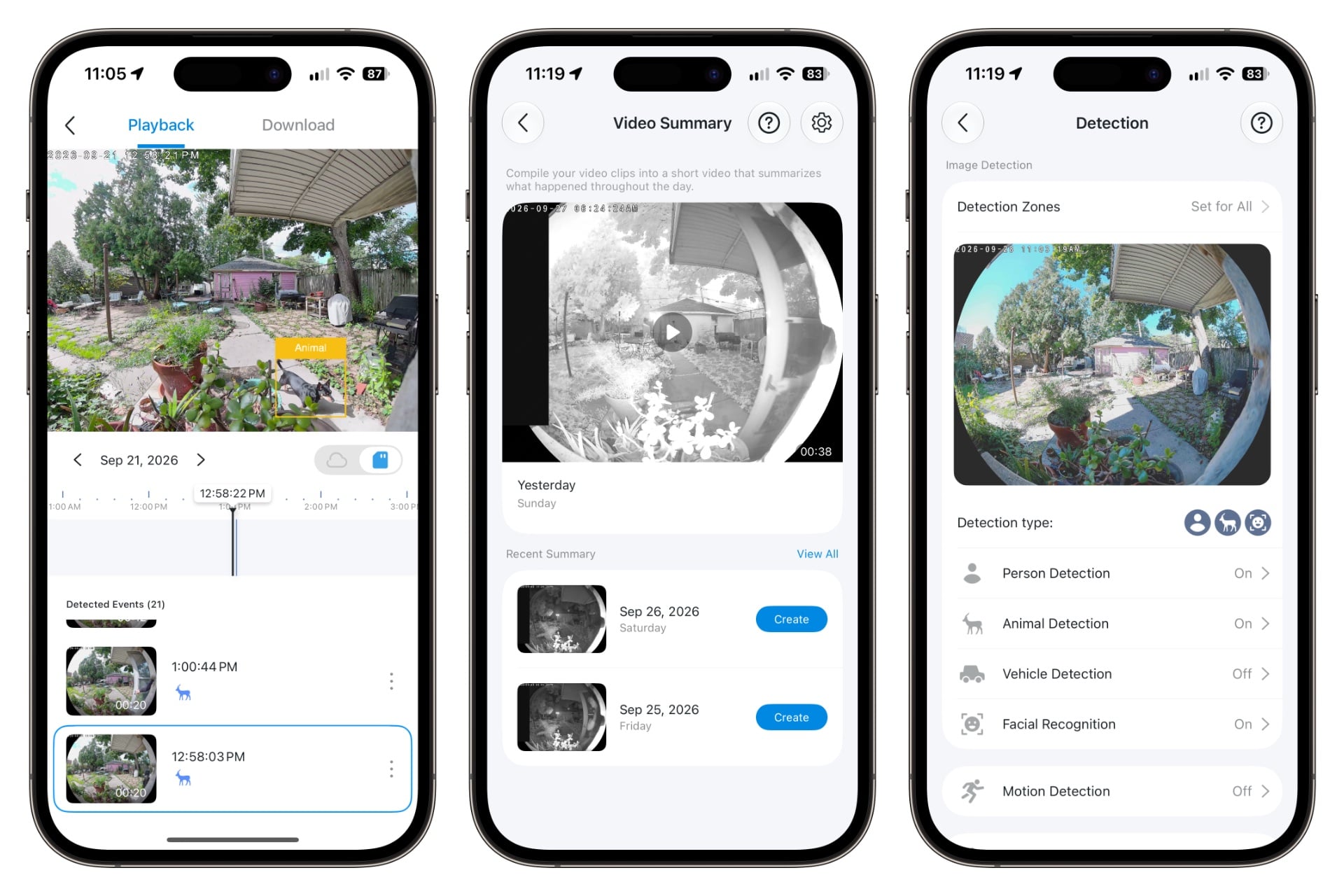
I liked the D260’s “Quick Response” menu, which lets you pick phrases for its speaker to play, a little too much. Other devices, like the SwitchBot Smart Video Doorbell, have this feature, but TP-Link’s premade responses are hilariously aggressive and impatient-sounding: One says, “I’ll be there in a minute,” with the tone of a parent responding to the incessant “dad, dad, dad, dad, DAD” of a child who really wants them to come see something. Another one says, nonchalantly, “You are trespassing. Police have been notified.” My favorite thing—though again, you can do this with SwitchBot’s doorbell, too—was recording my own custom audio. I wanted to match the premade options’ vibe, so I went with a recording of Robocop’s murderous ED-209 robot: “Please put down your weapon. You have 20 seconds to comply.” The two people I tried it on were not impressed.
There are also rarer yet practical options. You can configure the camera to use its package detection only in a specific region of its viewable area, which could be useful if something on your porch keeps triggering package alerts. You can also dial in the sensitivity of each object detection type. You might, for example, keep the animal detection slider low if you want alerts when your dog gets out but not when rabbits or squirrels are hanging out in your yard. Those options aren’t unique to the D260—you’ll find similar ones on the Aqara Doorbell Camera G400—but they’re still easy to use and nice to have.
Other options you can set are the locations of blacked-out privacy zones so you aren’t recording your neighbors, how long the D260 will wait to detect things between recordings, how long you’d like clips to be (20 seconds is the default, but they can go as long as two minutes), and when the camera is allowed to record. The Tapo app also lets you create automations: for example, you can set the camera only to detect and record video when you—or your phone, rather—aren’t home.
Lastly, there’s cloud storage. Although you can easily do without it, a TP-Link Tapo Care plan lets you store up to 180 days of recordings on the company’s servers. It also grants access to bonus goodies like “Video Summary,” a beta feature that stitches together videos and sets them to music in a compilation that Tapo says “summarizes what happened throughout the day.” The finished product is exactly as silly as it sounds—when I tested it, the app played a generic, upbeat, cheerful tune over videos of people coming and going through my back door. The montage felt hopelessly random—it didn’t even include footage of my dogs or of my partner dancing when I asked her to test something for me. Also, the clips fade into one another, which, with a stationary camera picking up activity at night, creates a ghostly effect as people in motion appear to drift into the ether. It’s like a really boring version of those auto-generated memory features in Apple Photos and Google Photos.
Tapo Care starts at $3.50 per month (or $40 per year) for a single camera and goes up to $33 per month ($136 per year) for 10 cameras. That’s on the cheap side of cloud-based subscriptions—these days, companies like Arlo and Ring charge at least $10 a month for single-camera plans—so although the montages that turn your visitors into spooky ghosts don’t add much to the appeal, Tapo Care is still a worthwhile way to easily back up your footage.
The D260 offers a wide range of features you won’t see on many other cameras—especially on the free tier. But it still doesn’t have everything that folks might want. For example, it supports 24/7 recording if it’s in wired mode, but you’ll have to give up compatibility with any existing physical chime. It also lacks RTSP support, meaning it can’t stream video to devices like network-attached storage or media player apps like VLC. Nor can you save recordings to devices on your network via FTP. (If those last two don’t make sense to you, don’t worry; they’re good but nerdy features that are hard to find in this space anyway.) And the doorbell only supports Google Home, Amazon Alexa, and Samsung SmartThings—there’s no native Apple Home or Home Assistant support.
Video is good but overhyped
The Tapo D260’s detection seemed very accurate to me; the device never had trouble finding and labeling people or dogs as they walked in front of it. Its facial recognition, which you train by uploading images from your photo library, was also quite good. I fed it a picture of myself wearing a hat and glasses, with a travel pillow around my neck, and the camera identified me in most lighting. It also consistently and properly labeled my partner, to whom I introduced it via a screenshot of the warped edge of the camera’s ultra-wide-angle footage of her.
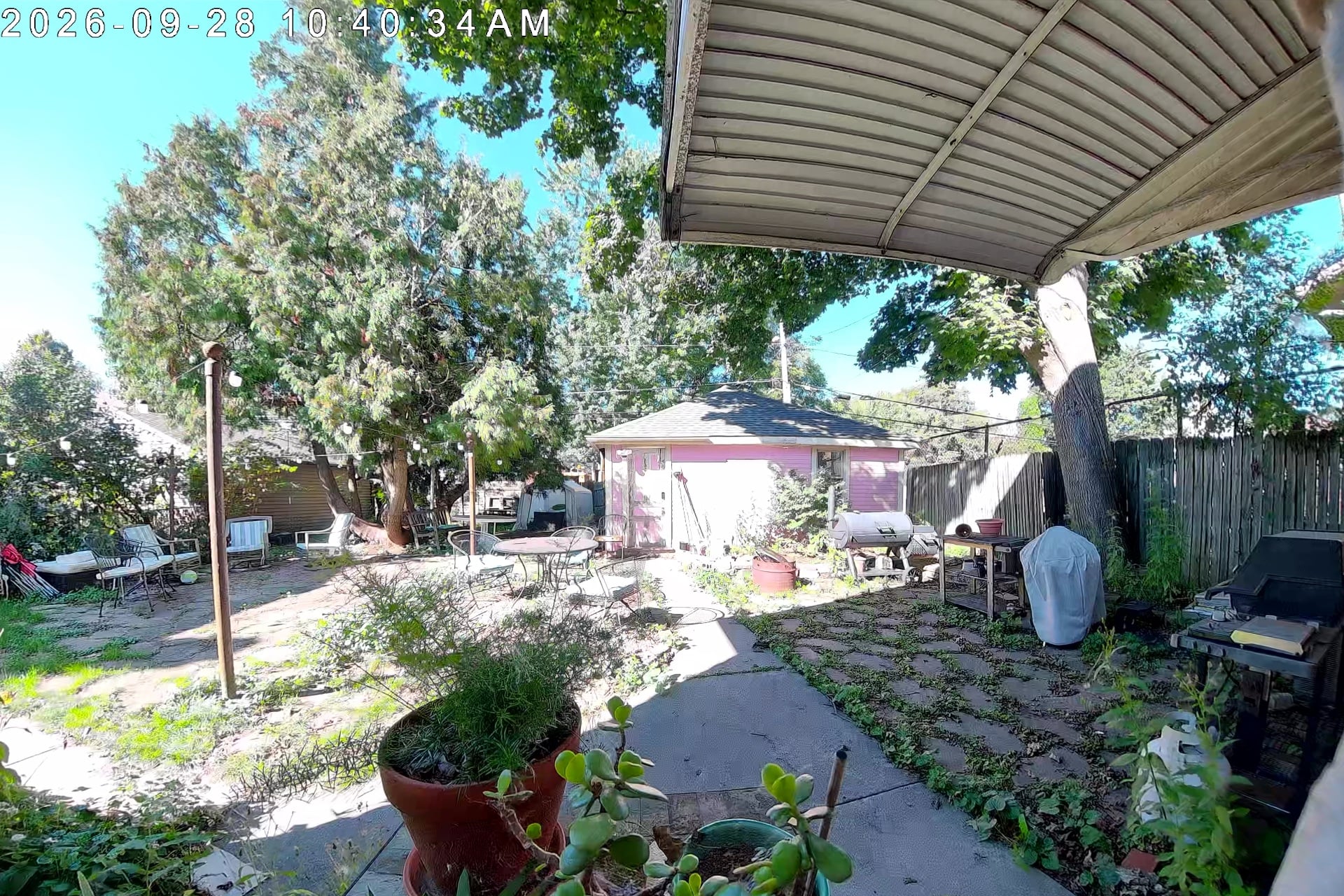
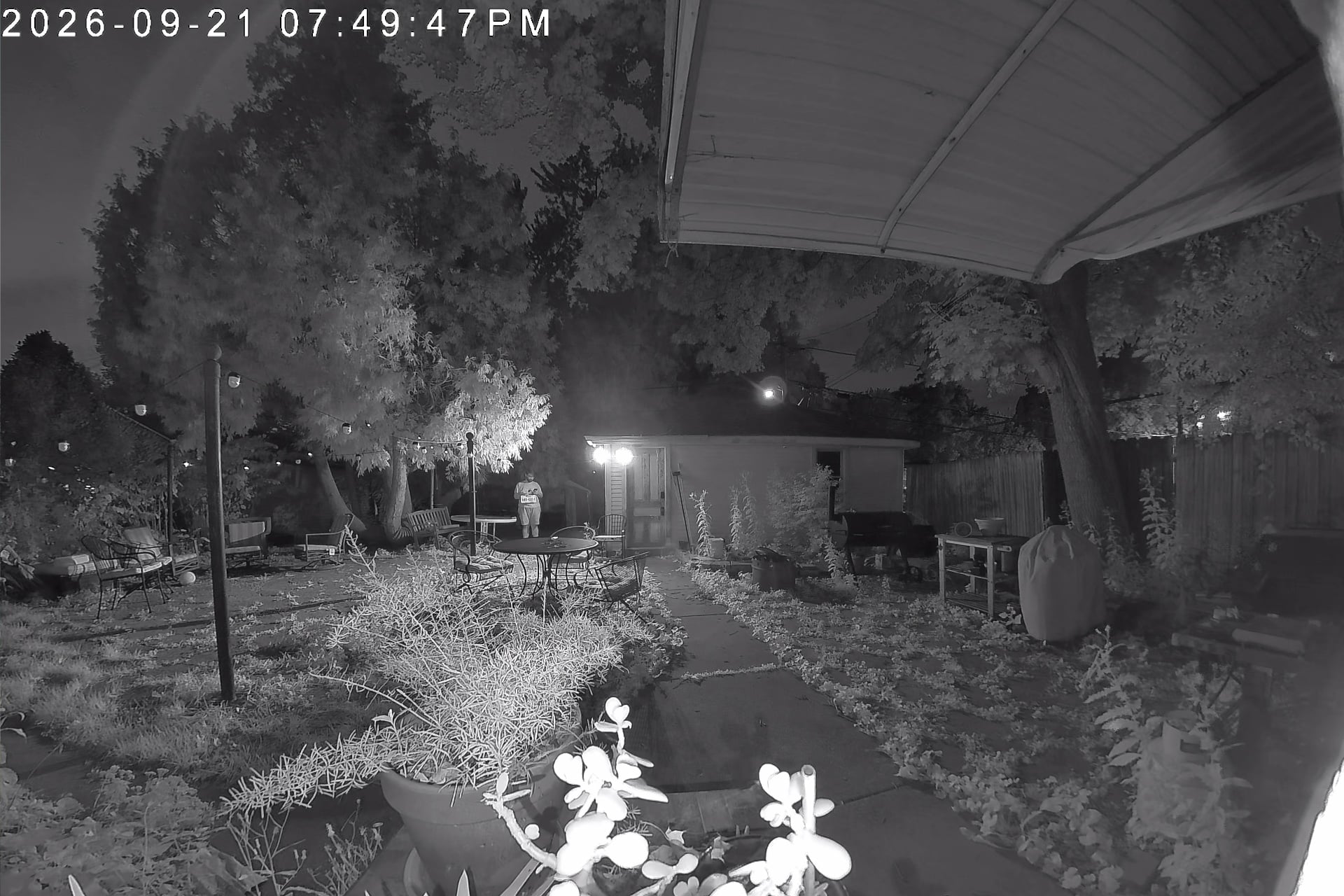
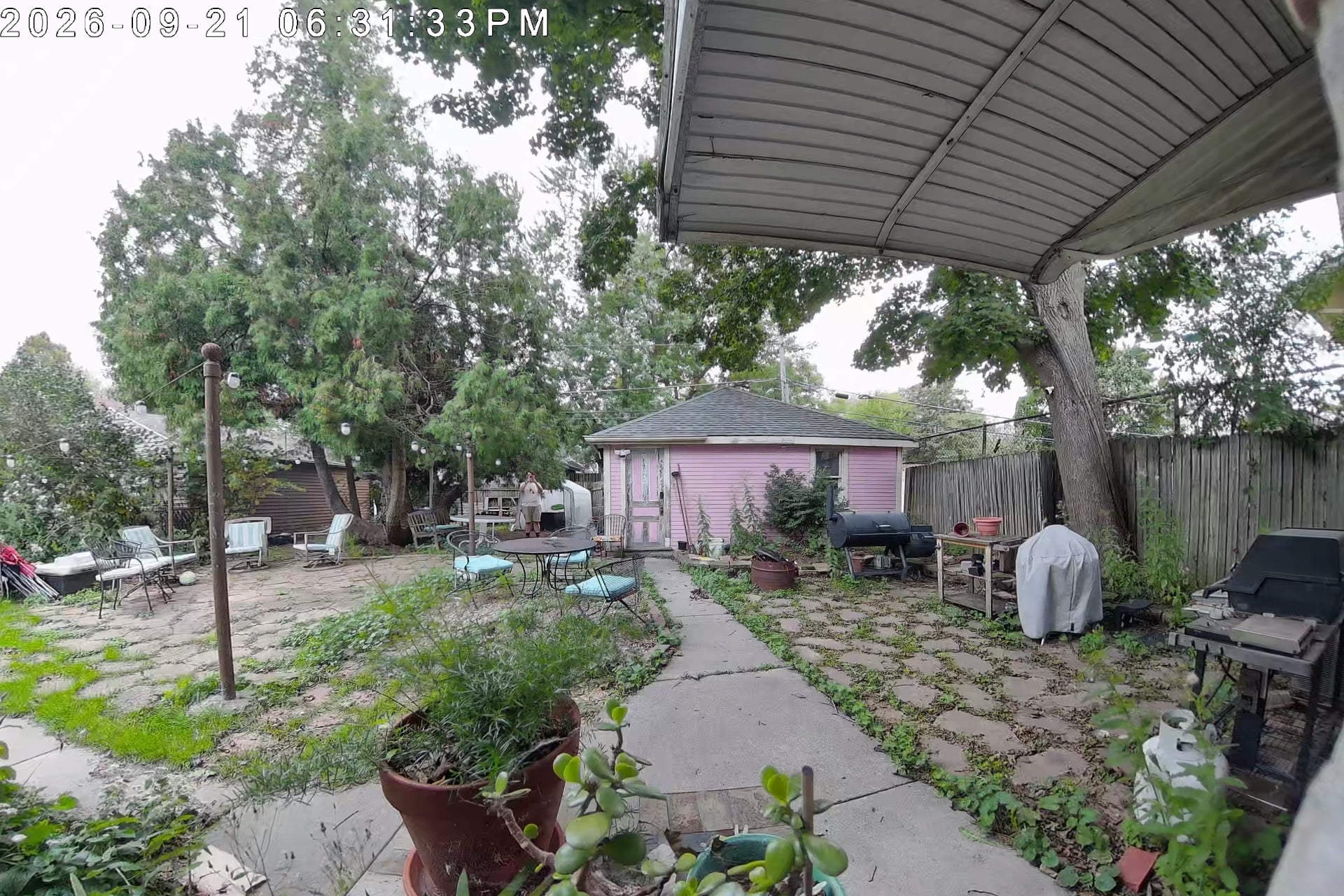
The D260’s video looks great by day, producing good color and sharpness, although highlights can be blown out depending on the angle of the sun, as in the late-morning image above. Its black-and-white infrared night vision is likewise crisp. Footage was sharp enough that I could make out the grate pattern on my patio chairs from 10 feet away, although fine details beyond that distance were blurry. The D260 also supports color night vision, but at the cost of any real detail—it could be useful if you have an exterior spotlight in the same area, but otherwise, it’s best to just stick with infrared.
As good as this camera’s footage is, it doesn’t match the hype I perceive on TP-Link’s D260 product page. There, the company compares a super-clear, zoomed-in “4K” picture of a license plate to a blurry “2K” one that you can barely read—implying that the D260 can produce sharper images because it’s 4K, while other, lower-resolution doorbell cameras can’t. I don’t have a driveway, so I paraded around my backyard, where I’d installed the D260, with an old license plate to see if I could get the doorbell to produce anything close to TP-Link’s promo image. At about 10 feet away, I could easily read the letters on the plate in videos taken by the device both by daylight and at night. But as I moved farther away, the plate became harder to read until around 30 feet, where it was often impossible to confidently guess what it said. Conversely, when I ran the same test with the G400 installed on my front porch, I could clearly read the plate from as far as 30 feet away while viewing the video in the Apple Home app. It’s possible this is because I was using the D260 on battery—I have no functional doorbell wiring—and the G400 was powered by Ethernet. I asked TP-Link if customers can expect sharper video when the camera is hardwired, and I’ll update this story when I hear back.
The Tapo D260 was great at detecting and identifying things. Notifications arrived reliably between 5 and 10 seconds after someone came into view of the camera, which is about as fast as these things get. They clearly identified people the camera saw and when it had spotted an unknown figure. It really pesters you, as many smart home cameras do, if people are within view for a long time, but changing how often the camera waits between detections, an option I mentioned above, helps with that.
Recordings look just a bit more compressed than the camera’s live video feed, preserving a lot of detail. The files are about twice the size of similarly long videos captured by the Aqara U400 video doorbell on my front door, but they’re also higher-resolution—a 22-second, 3,840 × 2,928 video from the D260 weighed in at 8MB, while a 24-second, 1,200 × 1,600 one I looked at from the U400 was 5MB, which is about what you’d expect from decent security cameras. After a week that involved as many as 50 recorded events per day (including some two-plus-minute manual recordings I took), the D260 had only eaten about 1.2GB of the 3GB microSD card—this camera supports cards of up to 512GB—that I’d slotted into it.
TP-Link’s doorbell overwrites the oldest videos on a card once it’s full, so I’d guess that it will hold about a month or two of recordings locally, depending on how busy your front porch is and your detection and recording preferences. Oddly, the Tapo app won’t let you download its automatic, locally saved recordings when you’re not connected to the same Wi-Fi network as the camera but will let you download manual recordings from afar, as well as any stored in TP-Link’s cloud servers if you subscribe to Tapo Care.
Subscription freedom
The TP-Link Tapo D260 is one of those cameras that makes me question why anyone buys subscription-based alternatives, such as the Google Nest Doorbell Cam, at all. It has everything other companies use as lures to push customers toward their monthly plans, such as cloud video storage and package detection. TP-Link offers affordable cloud storage if you really want that, but you can also just pick up a cheap microSD card instead.
Compatibility is one of the few qualms I have with the D260—the product doesn’t work with Apple Home, my platform of choice. And with no RTSP or FTP features available, you’re left to back up your recorded footage manually, either by saving videos one by one in the Tapo app or by yanking the camera’s microSD card and copying it to a computer yourself. That means if someone wants to break into your house and decides to rip the doorbell off the wall and pull its microSD card, you won’t have video of them doing it.
As dramatic as that last bit sounds, those are minor quibbles for me. I tend to think of doorbell cameras, in particular, as easy ways to check whether a package was delivered or who might have come to call on me while I was out, and less as a means of protecting my home. Some products are useful for more than that, of course; those who want the security of a camera that’s always recording to hardware, such as their NVR or NAS, should look to manufacturers like Ubiquiti, Aqara or Reolink. But if you just want to see who’s at your door, the D260 is a great way to do it.