Apple is working to make the iPhone 18 Pro a creator’s dream phone. The company has released a major Final Cut Camera update and several new features for Apple Creator Studio.
Final Cut Camera gets a new look and real aperture control
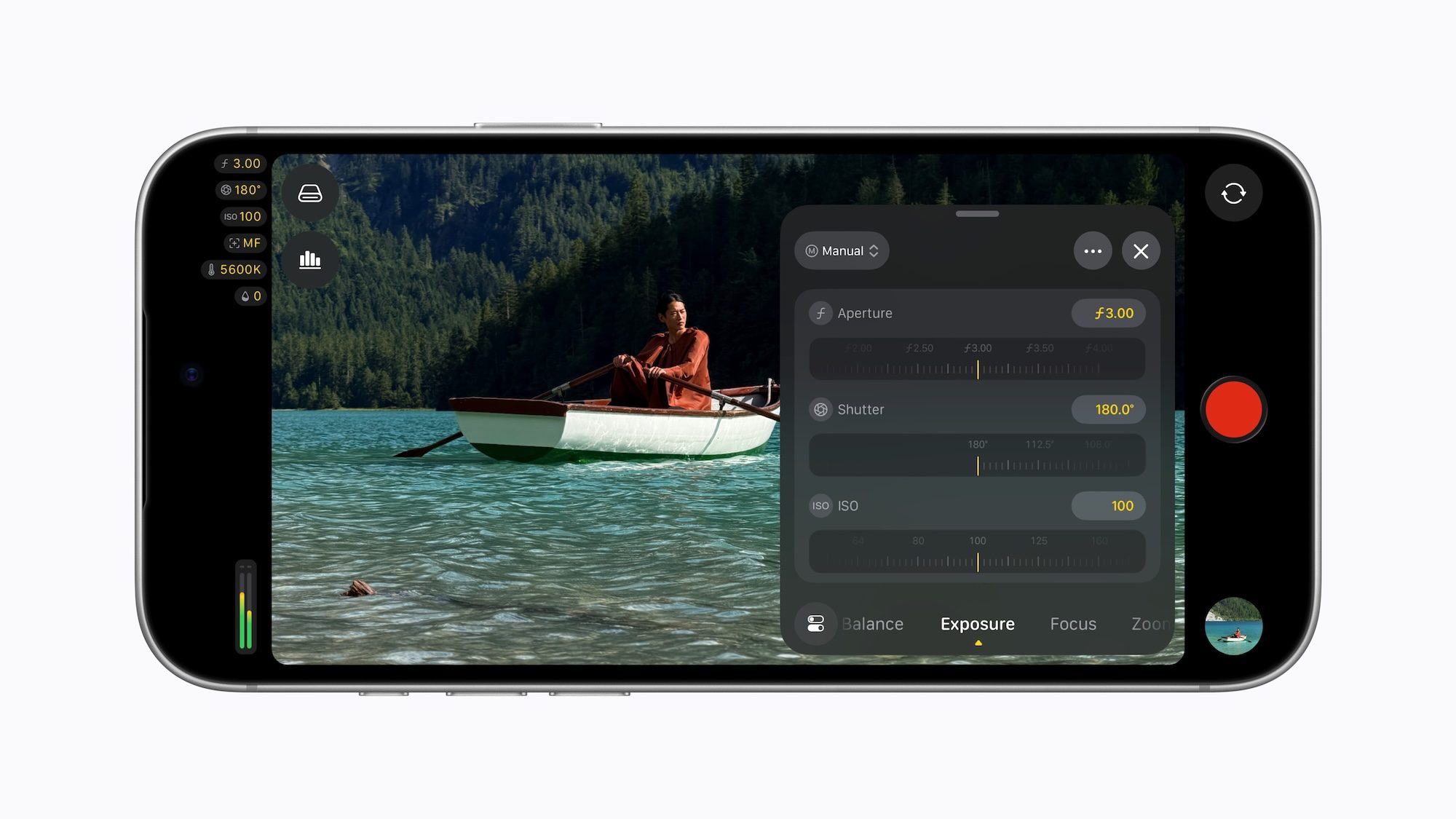
Final Cut Camera 2.4 comes with a redesigned interface that makes settings such as shutter angle, ISO and white balance much easier to access. You also get false color and clipping indicators, better focus peaking with adjustable sensitivity, a tally light that shows when you’re shooting, and a two-finger tap to clear the viewfinder.
The star of the show is variable aperture support. iPhone 18 Pro’s new Fusion Main Camera is the first iPhone camera that lets you control the aperture, and the Final Cut Camera lets you set it precisely or switch between shutter priority and aperture priority modes. You can also apply Cinematic Mode effects to regular video, including ProRes and Apple Log footage, and adjust focus and depth of field later in Final Cut Pro.
With iOS 27, professionals also get video scopes such as RGB parade and histogram, clean SDI out for broadcast-quality streaming through an HDMI-to-SDI converter, and genlock offset. The update is now available for free.
Apple Creator Studio is getting smarter and more creative
Final Cut Pro and Motion on Mac now offer new ways to add Cinematic Mode effects to iPhone 18 Pro video, and you can adjust focus and depth of field right in the Final Cut Pro timeline. Compressor also gets HEVC and MPEG-4 presets that make exporting for social media easier.

Pixelmator Pro gets new templates for sports projects, new business or product ideas, and podcast cover art. The iPad version also gets Select a Mask, which helps you keep fine details like hair and fur intact when making selections.
Keynote, Pages, and Numbers get fresh templates, and Keynote can now create custom images that match your presentation. Freeform now automatically switches to Dark Mode, lets you organize boards and folders, and can transcribe, correct, and summarize your handwritten notes with writing tools.
What does it mean for the creators
If you own an iPhone 18 Pro, you now get pro-level control from the moment you hit record to the last edit. And if you subscribe to Creator Studio, you’ll have tons of new toys to play with.