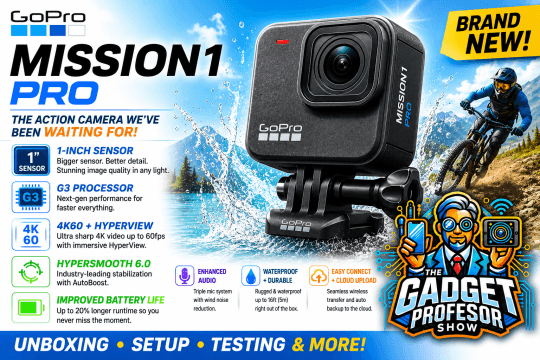
Welcome to The Gadget Professor Show #794 hosted by Don Baine.
This week on The Gadget Professor Show, we’re taking a first look at what might be the most exciting action camera release of the year – the brand new GoPro Mission 1 Pro!
Many GoPro fans have been waiting for a camera like this, and it has finally arrived. The Mission 1 Pro features a large 1-inch image sensor designed to deliver significantly improved image quality, better low-light performance, enhanced dynamic range and more professional-looking video than ever before.
Under the hood, the Mission 1 Pro is powered by GoPro’s new G3 processor, which brings faster performance, faster response times, improved image processing and a smoother overall user experience.
In this episode we will do a full unboxing to see exactly what is included in the package. We’ll install the battery, charge the camera, go through the initial setup process, and most importantly show you how to update the firmware to make sure you’re running the latest software and features.
If you’re thinking about upgrading your action camera or just want to see what GoPro’s newest flagship has to offer, you won’t want to miss this episode.
Join Don Baine, The Gadget Professor, as we take an in-depth first look at the brand new GoPro Mission 1 Pro and find out if this is the action camera we’ve all been waiting for!
Join Don Baine for another quick episode of The Gadget Professor Show – seen worldwide in over 170 countries!
👉 Sit back, relax and enjoy the show – because this is the tech that makes a difference.
Don’t forget to like, subscribe, and share The Gadget Professor Show with your friends, family, and fellow tech enthusiasts!
How
Share with your fellow tech enthusiasts
And as always…
Stay tuned… and stay gadget smart!
Follow me on Instagram: @TheGadgetProfessor
Podcast: Play in new window | Download | Embed
Subscribe: Spotify | Email | | More
Podcast (Audio): Play in a new window | Download | Embed
Subscribe: Email |