
The TP-Link Archer 8 Ultra is set to be available very soon, on September 30 (for Preoder), and there has been a lot of hype considering that this is the first WiFi 8 wireless router to hit the market. But, before you part with your hard earned money, let me tell you why you should wait a bit and see if it really makes sense to be an early adopter of this new technology.
The hardware comes first. The customer ecosystem is not ready.
What does WiFi 8 solve?
First, what is the point of WiFi 8? Considering we’ve barely started getting some more mature WiFi 7 routers and access points, while much of the market is still flooded with only MLO-capable dual-band devices, isn’t it too early for WiFi 8? Who needs it?
The idea behind this new standard is not (unnecessarily) to increase data rates, but to solve a very urgent problem: to get reliable wireless communication in very dense environments. And there have been several attempts over the years through technologies such as OFDMA, BSS Coloring, MU-MIMO and Beamforming, which have also been considered improvements to this goal.
And the interesting thing about the WiFi 8 is that it improves all these features and more, adding extra layers of complexity to address interference, roaming issues, help with a better client and even AP distribution, better QoS behavior and, as a consequence, a far better range. Note that, technically, the WiFi 8 and WiFi 7 share the same theoretical maximum data rate, both rely on the same three frequency bands (2.4GHz, 5 GHz and 6 GHz), the same maximum channel bandwidth (320MHz), 4096-AQM and up to 8 spatial streams.
This is actually very exciting, because if the monkey brain thrives for the high throughput numbers, I prefer a good connection and reliable Internet access on all my devices. But, can you actually use the TP-Link Archer A8 Ultra now for its full capabilities? … and what are their abilities?
The WiFi 8 draft stage
What TP-Link says will be added to the Archer 8 Ultra are the following:
Improved Long Shot + DRU
Improved Long Range and distributed resource units should be useful, extending the useful bandwidth and, perhaps more importantly, improving uplink performance for low-power devices that are far away from the router. This is important because the AP is only half of a wireless connection. A router may have enough transmission power to reach a client, while a smartphone, IoT device, or other low-power clients struggle to reliably transfer back. DRU tries to improve the uplink budget by spreading the allocated resources over a wider bandwidth so that the customer can use more total transmission power while staying within the allowed limits.
Non-primary channel access
Non-primary channel access that allows WiFi 8 devices to use a secondary channel when the primary is occupied by traffic from another overlapping network. This should be useful in dense environments with multiple overlapping networks such as apartment buildings, offices and some enterprise settings.
UEQM + New MCS
Unequal modulation, as well as new modulation and coding schemes that should help maintain consistent throughput even when there is a lot of interference. This essentially manages to adapt the spatial streams to the signal quality when using multiple antennas, so the chance of a successful data transmission is higher, and the extra modulation schemes improve the accuracy of the transmission even more.
You can see that quite a few features already included in the current WiFi 8 draft are missing in the Archer 8 Ultra at this stage and it is quite normal for such an early implementation. Because the WiFi 8 standard is not yet fully adopted, but it is in its draft stage. So expect quite a bit of chaos and not necessarily because the router is unstable, but because it can’t play nice with all your devices and OSes out there.
Will TP-Link update the Archer 8 Ultra so it gets more WiFi 8 features?
As I mentioned earlier, some features may not be available and even if they are promised, they may not be at their full potential if and when they arrive at all. It is not uncommon for the manufacturer to release several hardware versions of the same model in the future, so that it can support newer and more mature implementations of the same functions.
I think TP-Link itself and other brands have done this over the years, one of the latest such situations was the support for UL-OFDMA (WiFi 6 standard) which requires new hardware. But let’s say we get new features from older hardware, as happened with MLO and all budget-friendly device updates (Ubiquiti with its U7 Pro and Pro Max, Zyxel with its NWA130BE), does it matter if there is no client-side support of these features?
No WiFi 8 adapter yet is a much more complicated argument that you think
I admit that trying to get MLO working properly when it was initially released on some WiFi 7 access points was a bit of a traumatic event for me.
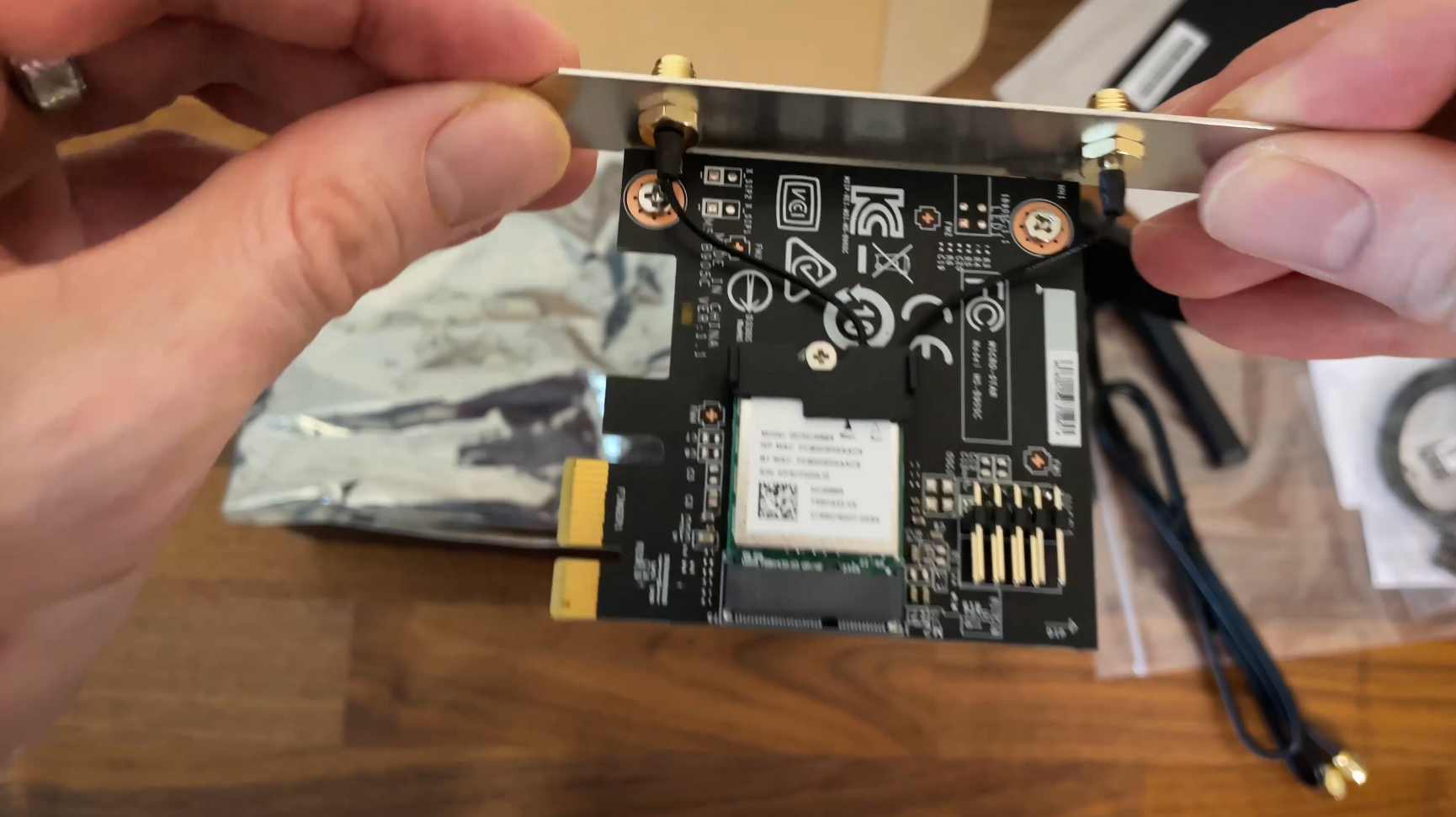
The WiFi device firmware was unstable, and new releases happened every few weeks or even days. Linux stopped supporting it almost half a year after the alleged Windows 11 support.
Has a feature listed on the spec sheet
and being able to actually use it reliably are two very different things.
I already learned this lesson with early WiFi 7 and MLO support.
And Windows 11 support was spotty because one update showed it could technically work, but it was spotty depending on which WiFi adapter I was using. And it also had unstable drivers. It was fun. If you don’t mind going through that, go ahead, but I’d advise waiting for mature customer-level support and that will probably happen at the end of next year, more realistically in 2028. And the fun part is that right now there are no retail WiFi 8 adapters that you can even buy.
WiFi 8 doesn’t need to prove it can be fast.
WiFi 7 is already fast. WiFi 8 needs to prove that it can deliver a more reliable connection when conditions are less than ideal.
Is the Archer 8 Ultra backwards compatible?
Yes, it works with older standards but understand that a WiFi 7 client will not suddenly gain access to the WiFi 8 capabilities just because it is connected to the Archer 8 Ultra. You can still benefit from some improvements on the router side, but you won’t be able to properly evaluate the things that make WiFi 8 different until compatible clients actually arrive.
And that’s what the Archer 8 Ultra has to prove. Not that it can produce a huge throughput number, but that WiFi 8 can actually improve bandwidth, lower latency and provide a more reliable connection under heavy interference. Until I can test the device with current WiFi 8 customers, why would the early adopters pay a premium instead of buying a mature, reliable WiFi 7 router and waiting until it really makes sense to upgrade.
I’m also looking forward with great interest to see how reviewers test WiFi 8 Gang now that latency and stability are the focus, not raw throughput 😀
Post Views: 146