
iPhone pre-order scams usually try to steal credit card numbers through deceptive forms, but a new campaign designed to mix up the hype surrounding the iPhone Duo is taking a much more aggressive approach. Malwarebytes discovered a fake Apple website offering a fake $500 voucher to distract visitors, while quietly running background code to hijack older iPhones. Opening the link reportedly triggers an attack that tries to jailbreak unpatched iPhones without requiring a single tap or download.
A zero-click threat disguised as a deal
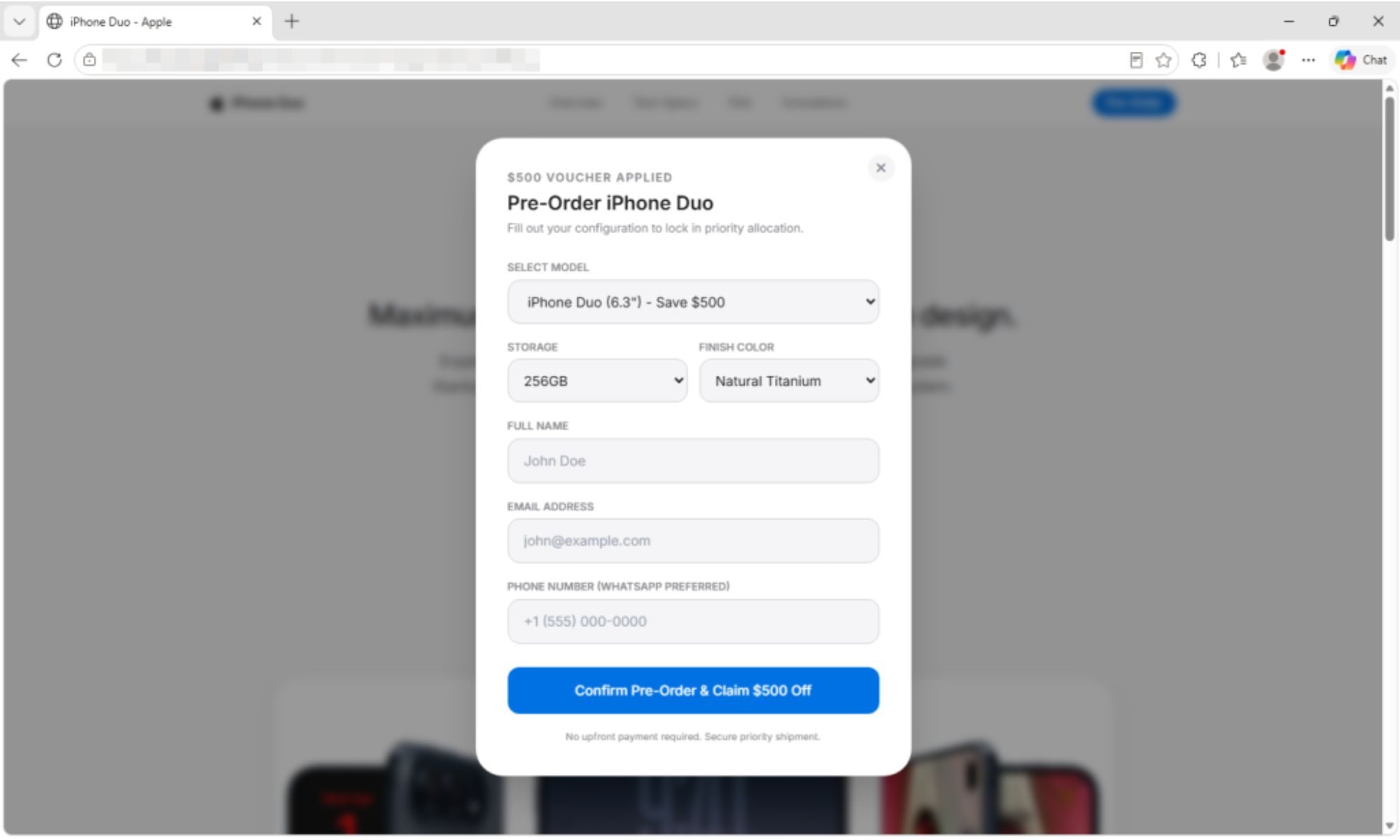
Most pre-order scams rely on social engineering to trick you into entering personal details or payment information, but this fake Apple site works differently. It mimics Apple’s official website design down to the copyright footer, but the wrong model sizes, unadvertised colors, and a countdown timer that resets every time the page reloads give away that the store is fraudulent. The pre-order form asks for contact details while promising an exclusive $500 voucher and AppleCare+ coverage, but submitting it doesn’t send anything to a server.
Instead, the site uses the pre-order form as a simple distraction while launching a zero-click attack in the background. An invisible frame inspects your browser version and tries to steer you into Safari to execute the DarkSword exploit chain against older versions of iOS.
If the attack breaks through, a hidden payload collects stored keychain passwords, Apple Notes content, call logs, contacts, photos and cryptocurrency wallet files from apps like MetaMask and Coinbase Wallet.
Keep unpatched iPhones safe from background attacks
This campaign depends on target psychology, as shoppers looking for new hardware are still using older, unpatched phones. Apple has patched the underlying DarkSword vulnerability in recent iOS updates, but anyone browsing on older software remains exposed the moment they land on the website.
To protect yourself from scams like this, make sure you’re running the latest iOS release. You should also navigate directly to official store channels instead of following pre-order links and unsolicited messages or ads. If you accidentally opened the malicious link, reboot your device to clear the running payload from the system memory, update your operating system and secure your key accounts and crypto wallet from a clean device.