Add MobiGyan as a preferred source on GoogleOnePlus has opened registrations for the ColorOS 17 Open Beta Program in India for five smartphones: the OnePlus 15, OnePlus 15R, OnePlus 13, OnePlus 13R, in the OnePlus 13s. The recruitment window runs from October 9 to October 12giving eligible users a chance to test the future software before its public release.
The beta program allows participants to try new system features and share feedback with the company. However, since this is pre-release software, users may encounter bugs, performance issues, missing features, and compatibility issues with third-party applications. The program is limited to unmarked Indian units, except for carrier-locked variants.
Relevant OnePlus Phones | Required firmware versions
To apply the ColorOS 17 Open Beta, each smartphone must be running one of the specified firmware builds. Users should check their current software version before submitting an application.
| smartphone | Required firmware version |
|---|---|
| OnePlus 15 | CPH2745_16.0.10.500(EX01) or CPH2745_16.0.10.601(EX01) |
| OnePlus 15R | CPH2767_16.0.10.500(EX01) or CPH2767_16.0.10.600(EX01) |
| OnePlus 13 | CPH2649_16.0.10.501(EX01) or CPH2649_16.0.10.600(EX01) |
| OnePlus 13R | CPH2691_16.0.10.500(EX01) or CPH2691_16.0.10.600(EX01) |
| OnePlus 13s | CPH2723_16.0.10.500(EX01) |
How to apply for ColorOS 17 Open Beta
Eligible users can register directly through their smartphone’s settings app during the recruitment period. Follow these steps:
- Open Settings on your OnePlus smartphone.
- Navigate to About the device.
- Tap on Up to date banner.
- Select the three-point menu in the upper right corner.
- Select Beta program and follow the on-screen instructions to submit your application.
Once the application is approved, the beta update will be available over the air. Users can view and download the update by navigating Settings > About Device > Download Now.
Installation Precautions | Backup, storage and battery requirements
Before installing the beta, users should back up their important data. Although a standard OTA update is not meant to erase internal storage, keeping a backup is recommended in case something goes wrong or a rollback is necessary.
Must have devices at least 30% battery charge and 4 GB free internal storage before installation. Users should also be prepared for potential third-party app crashes, increased battery drain, or applications that won’t launch until compatibility issues are resolved.
Temporary heating, interface lag, and higher battery consumption may also occur after installation as the system optimizes apps and background processes. According to the supplied program guide, performance can stabilize after the phone remains inactive or is left with the screen off for about two hours.
How to roll back to the stable version
Users who wish to leave the beta program can revert to a stable software release with a local installation package. However, the manual rollback process format the phone’s internal storageso a full backup is essential before proceeding.
How to report ColorOS 17 beta bugs
Participants can report bugs, system errors and performance issues through either of these channels:
- Dialer Feedback Tool: Go in
*#800#in the stock phone dialer to open the integrated feedback utility. - Settings: Go to Settings > Help & Feedback and submit the subject.
Reports from beta testers can help OnePlus identify problems and improve the software before a wider rollout.
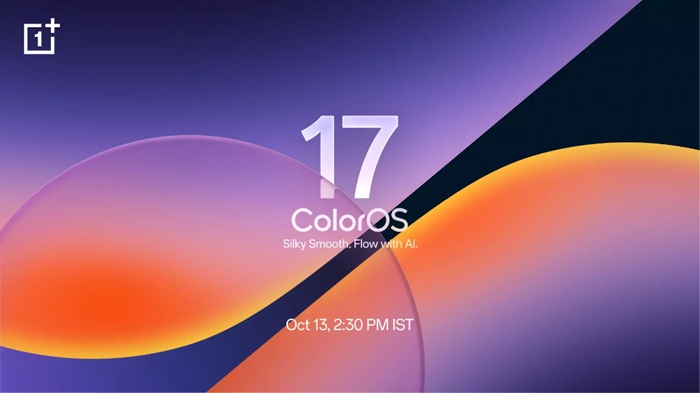
ColorOS 17 India Launch Set for October 13, 2026
OPPO and OnePlus have confirmed this ColorOS 17 will launch globally and in India on October 13, 2026. The open beta recruitment window for the five eligible OnePlus smartphones closes on October 12, ahead of the announced launch date.
Users interested in testing the software early should check their device’s firmware version, ensure they meet the installation requirements, and apply through the Beta Program section in Settings before registrations close.