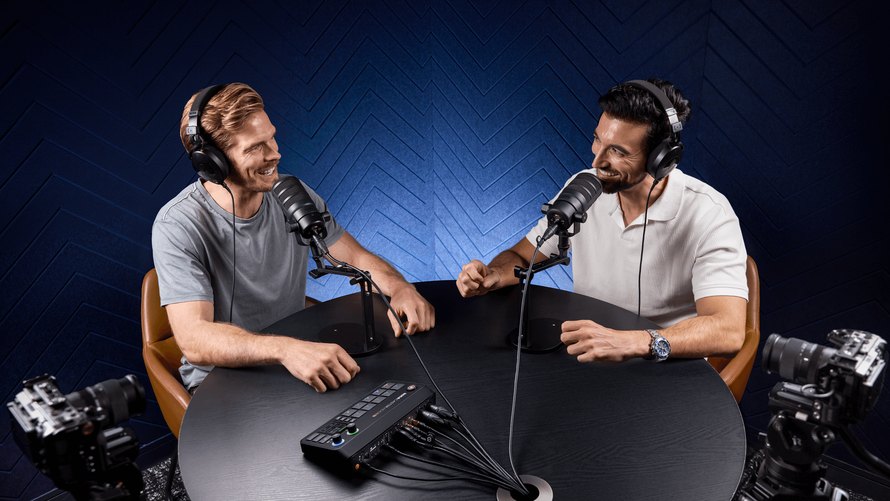
RØDE’s RØDECaster Video S and RØDECaster Video share an audio-and-video production approach, but different port counts suit different shows. A recent firmware update adds another decision: whether you need a live production switch or a multichannel capture system. Choose around the sources, display and operating mode you use together, rather than reading each advertised feature as one at a time.
Count the connections your show actually needs

The Video S has three HDMI inputs, one HDMI output and one USB-C hosting port for a compatible webcam or RØDE audio device. The larger video offers four HDMI inputs, two HDMI outputs and two hosting ports. These are hardware differences that a firmware update will not remove.
In standard production mode, the S offers four selectable video sources and five saved scenes. The larger model offers six springs and seven scenes. A scene is a prepared composition, such as a picture-in-picture layout or a camera view with graphics. There is no other physical socket for a camera.
List the cameras, presentation computer and monitoring display before choosing. A spare input can accommodate an occasional guest source, while a second output can serve another display. Conversely, a three-camera interview does not automatically require the larger console if its monitoring and USB requirements meet the S.
Separate live production from 4K capture

The September 2026 firmware adds 4K capture and Full HD capture modes via the video area. The release notes specify UHD at up to 30 frames per second, or Full HD at up to 60, with isolated recording and NDI output. These modes offer a different workflow from the familiar Full HD Live Switcher.
RØDE’s capture mode guide describes important limits. Direct RTMP/SRT live streaming, USB video output, keying, media and graphics playback, transitions and multi-camera scenes are enabled in capture modes. Simple HDMI switch remains mainly for monitoring. A 4K recording capability therefore does not mean a full 4K live show with the standard scene and effects workflow.
Capture mode can record individual sources to external USB memory and distribute them as NDI streams while maintaining the audio mixer. This is suitable for recording material for a later change or feeding another production system. Switching between standard and capture modes restarts the console, so make this choice before the session rather than during a live segment.
Check the firmware before following an older setup guide. Version 1.4 introduced capture features, and the October 1, 2026 release addressed HDMI resolution negotiation and storage issues. Also confirm that the recording drive, receiving computer and network match the chosen resolution and workflow.
Keep the microphone board separate from the camera board

Both models include two XLR/four-inch combo inputs, two internal receivers for compatible RØDE Series IV wireless transmitters and an audio mixer that handles up to nine sources. The larger console extra video connections do not add another pair of XLR preamps. Plan cable microphones and any additional audio hardware independently.
To provide context for planning a separate wireless recording chain, our Sony ECM-W5 versus ECM-W3 comparison also begins with the recording workflow. With these consoles, check the exact microphone or receiver connection you want to use, then test the mix sent to the audience and the recording.
The shared mixer makes the S a practical candidate if the microphone arrangement already fits and video needs are modest. The larger model becomes more useful when the show needs its additional video inputs, USB hosting or display output. Select this expansion for a defined connection requirement.
Sample the complete intake and delivery chain

Run a short session with the real cameras, microphones, graphics and storage connected. Check the finished recording as well as the monitoring display. If the plan uses the capture mode, confirm that the receiving software can receive the NDI streams instead of the standard USB webcam output is still present.
Write down a routine and advanced setup before ordering. For the routine show, mark each occupied socket and the output sent to each display. For the expanded show, add the guest camera, the second webcam or the extra monitor you need. The difference between these lists makes the extra connections of the larger model easier to justify.
The video was introduced in September 2024 and the S in November 2025. Show current US product list $799 for Video S and $1,199 for Video; confirm dealer availability and bundle contents before ordering. Current hardware details and the corresponding user guides are available from RØDE.
| Technical comparison | RØDECaster Video S | REDcaster Video |
|---|---|---|
| Start date | November 2025 | September 2024 |
| HDMI inputs | 3 | 4 |
| HDMI outputs | 1 configurable | 2 configurable |
| USB-C hosting ports | 1 | 2 |
| Default mode video sources | Up to 4 | Until 6 |
| Saved standard-mode scenes | 5 | 7 |
| XLR/1/4-inch combo input | 2 | 2 |
| Built-in wireless receiver | 2, RED Series IV | 2, RED Series IV |
| Audio sources | Until 9 | Until 9 |
| Standard production | Full HD switching, scenes and live streaming | Full HD switching, scenes and live streaming |
| Capture modes, firmware 1.4+ | UHD30 or FHD60; ISO recording and NDI output | UHD30 or FHD60; ISO recording and NDI output |
| Capture mode restrictions | No direct live stream, USB video output, keying, graphics or multi-camera scenes | No direct live stream, USB video output, keying, graphics or multi-camera scenes |
| Mode changes | Console reboots | Console reboots |
| Where to buy | Watch RED US: Video p | View RED US: Video |