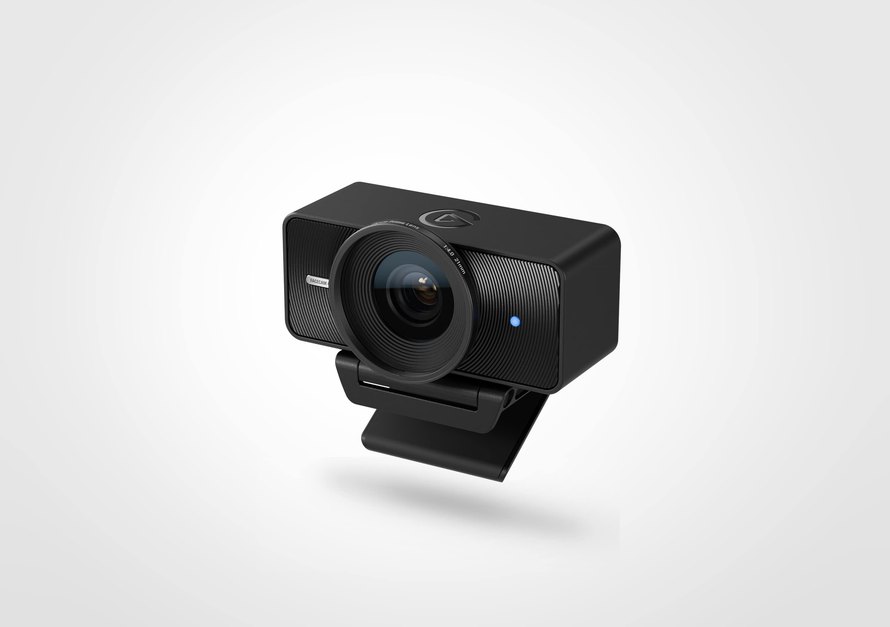
Elgato is both Facecam 4K and Facecam Pro a 4K60 caption, but the cameras suit different shooting arrangements. The newer Facecam 4K uses fixed focus and adds HDR plus a threaded filter mount. Facecam Pro offers motorized variable focus. The useful comparison starts with your distance from the lens, followed by the recording mode and USB connection you want to use.
Match the focus system to the shot

Facecam 4K is designed around a fixed focus lens. Elgato specifies a working range of 30–120cm at 4K and 25cm to infinity at 1080p. A seated presentation at a consistent distance fits this approach. If you regularly bring objects close to the lens, check that this movement remains within the range of your chosen resolution.
Facecam Pro uses a motorized variable focus lens with a range of 10cm to infinity. Its autofocus can also be set manually through Camera Hub. This is another way to handle a close demonstration, a changing camera position or a scene where the important subject moves between distances.
Neither approach removes the need to compose the shot. With fixed focus, position the camera and the subject deliberately. With autofocus, decide whether focus changes help or detract from the demonstration. Manual focus can be useful when the camera stays on a certain plane.
Separate 4K60 from HDR and compression

Both webcams support capture up to 4K at 60fps. Facecam 4K performs HDR up to 4K30; selecting the highest frame rate therefore changes the available feature combination. Facecam Pro has no HDR mode in Elgato’s current comparison. Decide whether motion cadence or highlight handling is more important for the intended recording.
The connection and video format are also important. Facecam 4K specification lists 2160p60 as MJPG-only over USB 3.0, while 2160p30 supports NV12 or MJPG. Its USB 2.0 modes are up to 1080p60. A USB-C connector alone does not determine what bandwidth or capture format the computer provides.
Before a recording session, confirm the resolution and frame rate reported by the application. A camera capable of 4K60 can still feed a meeting or streaming app configured for a lower output. Check the full path of camera settings through the software used to record or broadcast.
Use the intended cable and computer port during that check. If a hub is part of the arrangement, test it as well. Changing some connections right before a session makes it harder to identify which part of the setup is limiting the selected mode.
Consider optics and accessories together

The cameras both use a 1/1.8-inch Sony sensor format, with STARVIS 2 in Facecam 4K and STARVIS in Facecam Pro. Their lenses differ: Facecam 4K uses an f / 4.0 lens, while Pro uses f / 2.0. These specifications describe the hardware; they do not establish a measured picture quality result in every room.
Facecam 4K accepts 49mm threaded lens filters. A compatible diffusion or polarizing filter provides a physical way to adjust the image, in addition to software controls. Look at the intended effect against your lighting and your subject rather than a filter always improving an image. Facecam Pro lacks the threaded 49mm filter option.
Both have a maximum 90-degree field of view and support four-inch mounting. Position the camera with the monitor, lighting and desk space in mind. Cropping a wider view can change what appears behind the presenter, but it is still a crop of the image captured by the camera.
Build the camera and the entire recording setup

Camera Hub offers controls like exposure and white balance, and both models save settings onboard. That helps preserve an established look when you move between compatible computers. It remains useful to check the result in the final application, especially if another app has its own processing or exposure controls.
Sound is a separate part of that planning. Our Sony ECM-W5 versus ECM-W3 comparison examines external microphone workflows. Think about the position of the speaker and the track the audio takes in the recording, in addition to the framing and focus of the webcam.
Elgato will launch Facecam Pro on November 2, 2022 and Facecam 4K on July 29, 2025. Facecam 4K is currently listed at $199.99 and in stock in the US store. The official legacy list marks Facecam Pro end of life from December 2025, although its product page retains a price and stock metadata; confirm every purchase immediately. Current Facecam 4K order details are available from Elgato.
| Technical specifications | Facecam Pro | Facecam 4K |
|---|---|---|
| Start date | November 2, 2022 | July 29, 2025 |
| Maximum capture | 4 k60 | 4 k60 |
| HDR | No | Up to 4K30 |
| sensor | 1/1.8in Sony STARVIS CMOS | 1/1.8in Sony STARVIS 2 CMOS |
| Focus | Motorized variable focus; autofocus or manual | Fixed focus |
| Focus range | 10 cm to infinity | 30-120 cm on 4K; 25cm to infinity at 1080p |
| Lens aperture | f/2.0 | f/4.0 |
| Maximum field of view | 90° | 90° |
| 49 mm filter thread | No | Yes |
| Connection for 4K | USB-C, USB 3.0 | USB-C, USB 3.0 |
| 4K60 encoding | See model capture-mode requirements | MJPG only |
| Software / Onboard Settings | Camera hub / yes | Camera hub / yes |
| Where to buy | View of Elgato | View of Elgato US |